YouTube Now Has an Audio Description Track — and Almost Nobody Uses It: The 2026 Guide for Faceless and Visual Channels
Viewers can now select "English with Audio Description" from the audio menu the same way they select a language. Producing that track used to mean a studio, a describer and a mixing session. It is now a script-and-voice job — and script-first creators already have most of what they need.
1. What audio description actually is
Audio description is an additional narration track that describes the important visual information in a video, so that someone who cannot see the screen still receives it. It is not a summary, not a second commentary, and not a replacement for your existing audio. It is the same video with the visual-only information spoken aloud in the spaces between the existing dialogue.
It is the mirror image of captions, and the pairing is worth stating plainly:
- Captions put the audio information on screen, for viewers who cannot hear it.
- Audio description puts the visual information into the audio, for viewers who cannot see it.
Almost every creator has done the first. Almost none have done the second, which is why the audience impact of doing it is so disproportionate to the effort.
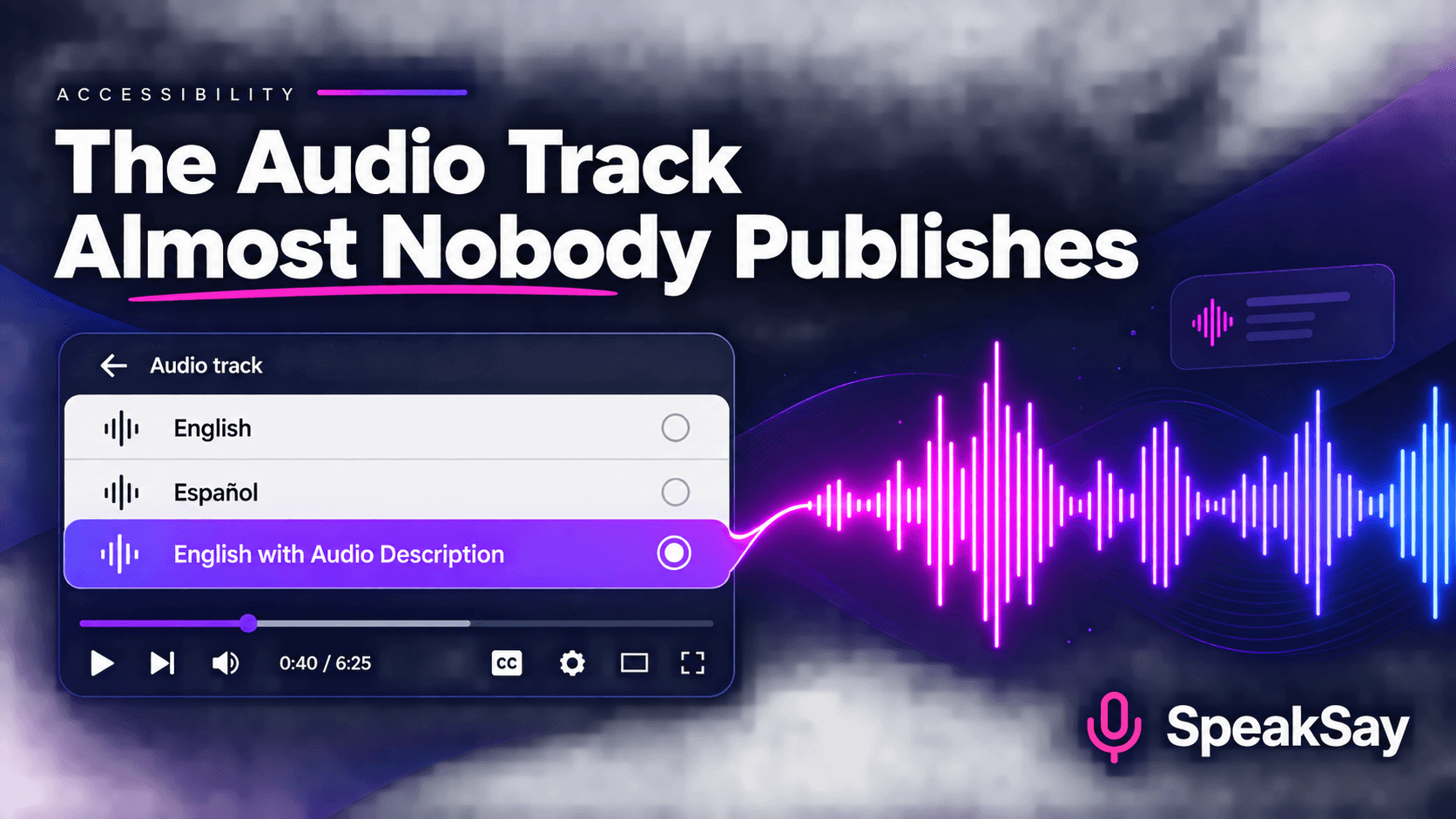
On YouTube, the described version is published as an additional audio track. Viewers choose it from the audio selector — the same control used to switch languages — and typically see it labelled as the language with "Audio Description" appended. The visual half of the video is unchanged; nobody who does not select it is affected in any way. That is the crucial architectural point: this is additive. There is no trade-off against your existing audience.
2. Why 2026 is the year this became practical
Audio description has existed for decades in broadcast. It stayed out of reach for independent creators for three reasons, and all three have changed.
- Distribution. There was no clean way to attach a described version to a video without uploading a separate one and splitting your view count. Multi-track audio solved this: one video, several audio tracks, one set of analytics.
- Production cost. Professional description meant a describer, a studio session and a mix, priced per finished minute at a level that ruled out anyone without a broadcast budget. The written script has always been the intellectual work; the recording was the expensive part, and that is the part synthetic narration removes.
- Tooling. Description authoring tools have historically been built around visual timeline interfaces — a problem noted repeatedly by researchers and by blind and low-vision creators themselves, who have the domain expertise but face interfaces they cannot operate. Community projects such as YouDescribe exist precisely because mainstream tooling left the gap. A text-plus-timecode workflow is far more accessible than a waveform-dragging one.
What remains is genuine work: deciding what matters visually, writing it tightly, and fitting it into the available silences. That work is writing, and writing is the thing creators can already do.
3. Which videos need it — and which genuinely do not
Be honest about this rather than describing everything on principle. The test: if you close your eyes and play your video, what do you lose?
| Video type | Loss when you cannot see it | Priority |
|---|---|---|
| Tutorials and how-to with on-screen steps | Severe — the instructions are often only visual | Highest |
| Data, charts and explainer graphics | Severe — the argument lives in the diagram | Highest |
| Product reviews and demonstrations | High — "as you can see here" carries the verdict | High |
| Documentary and archive footage | High — footage carries evidence and mood | High |
| Sketches, drama, micro-drama | High — action and reactions are unspoken | High |
| Narrated essays over B-roll | Moderate — narration often carries the argument alone | Medium |
| Interview and talking-head | Low — most information is spoken | Low |
| Music and ambient | Low to none | Low |
A blunt but useful indicator: count how many times your script says "here", "this", "like that", "as you can see", or "the one on the left". Every one of those is a sentence that becomes meaningless without the picture. If you have more than three in a video, that video needs description — or a rewrite.
One script, two tracks
If you already narrate with a synthetic voice, the described track is the same pipeline with a different script and a second voice. No studio time, no second recording day.
4. What to describe, and what to leave alone
The discipline of audio description is subtraction. Beginners describe everything and produce a track that talks constantly and communicates less.
Describe:
- Actions that change the situation. "She unplugs the cable."
- On-screen text that is not spoken aloud — labels, figures, captions, credits, chart axes.
- Scene and location changes. "A workshop. Daylight."
- Who is present, and when someone arrives or leaves.
- Visual jokes, reveals and reactions the audio does not carry.
- The spatial relationships the narration assumes — "the smaller gear on the left".
Do not describe:
- Anything the existing audio already tells you. Redundancy is the most common fault.
- Your interpretation. "He looks angry" is a judgement; "he pushes the chair back and turns away" is a description. Give the viewer the same raw material a sighted viewer gets and let them draw the conclusion.
- Decorative detail that carries no meaning. The colour of the wall is not information unless it is.
- Camera technique, unless it is doing narrative work. "Slow zoom onto the crack" earns its place; "cut to a wide shot" almost never does.
- Anything you cannot fit without talking over dialogue. Cutting is better than overlapping.
Three craft conventions worth adopting from the start: use present tense ("she opens the panel", not "she opened"); be specific but brief ("a red warning light" beats "an indicator of some kind"); and name people consistently — describe someone by appearance the first time and by name thereafter.
5. Writing to the gaps: the craft of fitting it in
Standard audio description must fit in the existing silences. This constraint is the entire craft, and it is why description is a writing problem before it is an audio one.
Step 1: map the gaps
Go through the video and note every pause of one second or more where nobody is speaking, with its timecode and duration. This is your available space. Most videos have far more of it than creators expect — pauses between sentences, music-only stretches, and the beats after a punchline.
Step 2: budget by word count
At a comfortable description pace of about 160 words per minute, you get roughly 2.5 words per available second. A 2-second gap holds about five words. A 4-second gap holds about ten. Write against that budget from the start rather than writing freely and cutting later.
| Gap length | Word budget | What fits |
|---|---|---|
| 1 second | 2–3 words | "He nods." / "Screen: 47%." |
| 2 seconds | 4–5 words | "She unplugs the blue cable." |
| 4 seconds | 9–10 words | "A workshop bench. Tools laid out in a row." |
| 8 seconds | 19–20 words | A full scene set-up, or a chart described with its axes and headline trend |
Step 3: prioritise ruthlessly within each gap
When a 2-second gap must carry three pieces of information, keep the one that affects understanding of what comes next and drop the others. Ask: which of these will the viewer need in ten seconds' time?
Step 4: read it aloud against the video
Every line, in place. This catches the two failures a text document hides: descriptions that run over the returning dialogue, and descriptions that are technically brief but awkward to say.
Step 5: leave silence in
A description track that never stops is exhausting. If a stretch of video carries no essential visual information, say nothing. Restraint reads as competence.
6. Standard versus extended description
Sometimes the gaps genuinely are not enough — a dense tutorial, a data-heavy explainer, a fast-cut sequence. You then have three options, in order of preference:
- Rewrite the original narration. The best fix by a distance. Change "click the button here" to "click the blue Export button in the top right". This helps every viewer — including anyone listening rather than watching, which on mobile is a large share of your audience — and it removes the need for description in that moment entirely.
- Prioritise and accept loss. Describe what matters most and let the rest go. An imperfect description track is enormously better than none.
- Produce an extended version. Here the video pauses to let description finish. It is the most complete option and the most work, since it means a second edit with a different runtime — appropriate for course material and reference content, rarely worth it for regular uploads.
Option 1 deserves emphasis: the cheapest audio description is a script that did not need one. Writing visually self-sufficient narration is a habit that costs nothing once you have it, and it improves your videos for everyone.
7. Casting the describer voice
The describer must be instantly distinguishable from your narrator, because the listener has to know at every moment whether they are hearing the video or hearing the description of it. This is a hard requirement, not a stylistic preference.
- Contrast strongly with your main narrator. Different pitch centre, different pace, different energy. If your narrator is warm and slow, cast a describer that is neutral and brisk.
- Keep it plain. The describer is not performing. No dramatic emphasis, no emotional colouring — the emotion belongs to the content, and a describer who acts is a describer who is editorialising.
- Slightly quieter than the main audio. Description sits underneath, not on top. A few dB below your narration level.
- Consistent across your channel. Once viewers learn your describer voice, keep it. Switching between videos is disorienting for exactly the audience you are serving.
- Clarity above character. Consonant clarity at speed matters more here than in any other application, because description is dense and brief and often lands during background noise.
Two voices, one channel, one plan
Adding a described track means a second consistent voice across every video you publish. If accessibility is going to be part of how your channel works rather than a one-off experiment, plan for it as a permanent second track.
8. The production workflow, step by step
- Finish the video first. Description is written against the locked edit. Describing a rough cut means rewriting it.
- Map the gaps. Timecode and duration for every pause of a second or more.
- Write the description script with a timecode, a duration and a word budget per line.
- Read it against the video and trim anything that overruns.
- Generate each line separately. Individual files named by timecode —
00-01-14.mp3— not one long file. This is what makes the placement stage bearable, and it means fixing one line never disturbs the others. - Place them on a timeline against the original audio, at their timecodes.
- Duck the original audio slightly under each description — a few dB is usually enough, and only where the underlying audio is music or ambience. Never duck dialogue; if you need to, the description is in the wrong place.
- Export the full mixed track — original audio plus descriptions, at the exact original runtime. This is critical: a described track that has drifted even slightly out of sync is worse than no track.
- Upload as an additional audio track and label it clearly so it appears in the viewer's audio selector as the described option.
- Test it as a viewer would. Select the track, close your eyes, and watch the whole thing through once.
Realistic time cost after your first attempt: roughly 45–90 minutes for a 10-minute video, most of it writing. The first one will take longer. It gets substantially faster once you have your describer voice, your naming convention and your gap-mapping habit.
9. The faceless creator's advantage
If you make script-first videos with synthetic narration, you are in a better position to do this than almost anyone else, and it is worth understanding why.
- You already have a script and a timing map. You know exactly where the narration is and is not — the gap-mapping step is nearly free.
- You already have a voice pipeline. A second track is a second script through the same process, not a second recording day.
- Your videos are often visually simple. Stock footage, diagrams and text cards are far easier to describe well than fast-cut live action.
- Your narration is often self-sufficient already. Voiceover-led content tends to explain rather than point, which means less to describe.
- You produce on a schedule. Description becomes a repeatable step rather than a special project, which is the only way accessibility work actually sticks.
There is a strategic argument too. Described tracks are rare, the audience is genuinely underserved, and accessibility work attracts links, shares and institutional attention from well outside the creator bubble. It is also, in a period where "did a human meaningfully work on this?" is an increasingly live question, a fairly unambiguous demonstration of deliberate human effort on a video.
10. Beyond YouTube: courses, museums and compliance
The same script-and-voice workflow applies wherever video is published, and in several contexts it is not optional.
- Online courses. Educational video is where missing description does the most harm, because the diagram usually is the lesson. It is also where extended description is most often justified.
- Public sector and education. Many jurisdictions require described video for public-facing and educational content, with described audio treated as a standard accessibility criterion rather than an enhancement.
- Products and services sold in the EU. Accessibility obligations under European rules now extend to a broad range of digital services, with enforcement active rather than theoretical. Video accessibility, including description where relevant, falls inside that scope for many organisations.
- Museums, galleries and tourism. Described audio for exhibition films is a natural extension of audio-guide work, and often uses the same voice.
- Internal corporate video. Training and compliance material has employees who need described tracks, and organisations that discover this after the fact usually discover it uncomfortably.
If you are producing at that scale — many videos, several languages, an ongoing obligation — the economics change from "should we?" to "how do we make this routine?". The answer is the same workflow, systematised.
Making accessibility routine, not a project
An accessible video library means a second track on every upload, indefinitely. That is a volume question more than a feature question — and a one-time plan makes the marginal cost of doing the right thing effectively zero.
11. FAQ
What is audio description on YouTube?An additional audio track containing the original audio plus spoken descriptions of the important visual information. Viewers select it from the audio menu — usually shown as the language with "Audio Description" appended — the same way they select a different language. It is available to creators who have access to multi-language audio, and it does not change the video for anyone who does not select it.
How do I add audio description to my video?Write a description script against your locked edit with timecodes and word budgets, generate each line as a separate audio file, place them into the pauses on a timeline over your original audio, export one mixed track at the exact original runtime, and upload it as an additional audio track labelled as the described version.
How many words fit in a gap?About 2.5 words per second at a comfortable description pace — roughly five words in a 2-second gap and ten in a 4-second gap. Write to that budget rather than writing freely and trimming afterwards.
Can I use a synthetic voice for audio description?Yes, and it is what makes the practice affordable for independent creators. Cast a clear, plain voice that contrasts strongly with your main narrator, keep it consistent across your channel, and sit it a few decibels below your main audio.
What should I not describe?Anything the existing audio already conveys, your interpretation of what people are feeling, decorative detail that carries no meaning, and camera technique that is not doing narrative work. Describe actions and facts; leave conclusions to the viewer.
Does every video need audio description?No. Close your eyes and play the video: if you lose essential information, it needs description. Tutorials, data explainers, demonstrations and drama need it most; talking-head interviews and music often need little or none. A quick proxy is counting how many times your script says "here", "this" or "as you can see".
What if the pauses in my video are too short?First try rewriting the original narration to be visually self-sufficient — that helps every viewer and removes the need for description at that moment. If that is not possible, prioritise what matters most and accept some loss, or produce an extended version where the video pauses to let description finish.