Never Re-Record a Flubbed Line Again: Fix Podcast & Video Audio Mistakes by Typing (2026 Voice Clone Workflow)
Mispronounced a name? Quoted the wrong number? Instead of re-setting your mic and chasing the same energy, clone your voice once and fix mistakes by typing the corrected line. The complete 2026 workflow.
1. The Pickup Problem Every Creator Knows
Ask any podcaster or YouTuber about "pickups" and watch them wince. A pickup is a short re-recording that fixes a mistake discovered after the session — and on editing forums and podcast communities it's one of the most consistently complained-about parts of production. The mistakes are always small and always mandatory to fix:
- A mispronounced guest name or company name (the one error you cannot ship)
- A wrong number, date, or price in a factual claim
- A product name that changed between recording and publishing
- An outdated reference in an episode you're refreshing for evergreen traffic
- A sponsor read where the offer or URL changed
None of these need a new take of the episode. All of them traditionally required setting up to record again — which is where the real cost hides.
2. Why Re-Recording One Line Is Harder Than It Sounds
Re-recording a sentence is never just recording a sentence. To make a pickup match, you have to recreate the entire acoustic and human context of the original session:
| What must match | Why it breaks |
|---|---|
| Room tone | Different time of day, different background noise, different reverb — even the same room sounds different with the window open. |
| Mic position & settings | Two inches closer to the mic changes your proximity bass noticeably. |
| Vocal energy | You recorded at hour two of an energetic session; now you're cold-reading one line at midnight. |
| Voice condition | Morning voice, allergies, or a week's gap make your own voice sound like a different person's. |
| Pacing | Isolated lines are read slower and more carefully than conversational speech. |
This is why patched lines often "pop out" even after careful editing — and why many creators just ship the error with a correction in the show notes. In 2026, there's a third option.
3. How "Fix It by Typing" Works
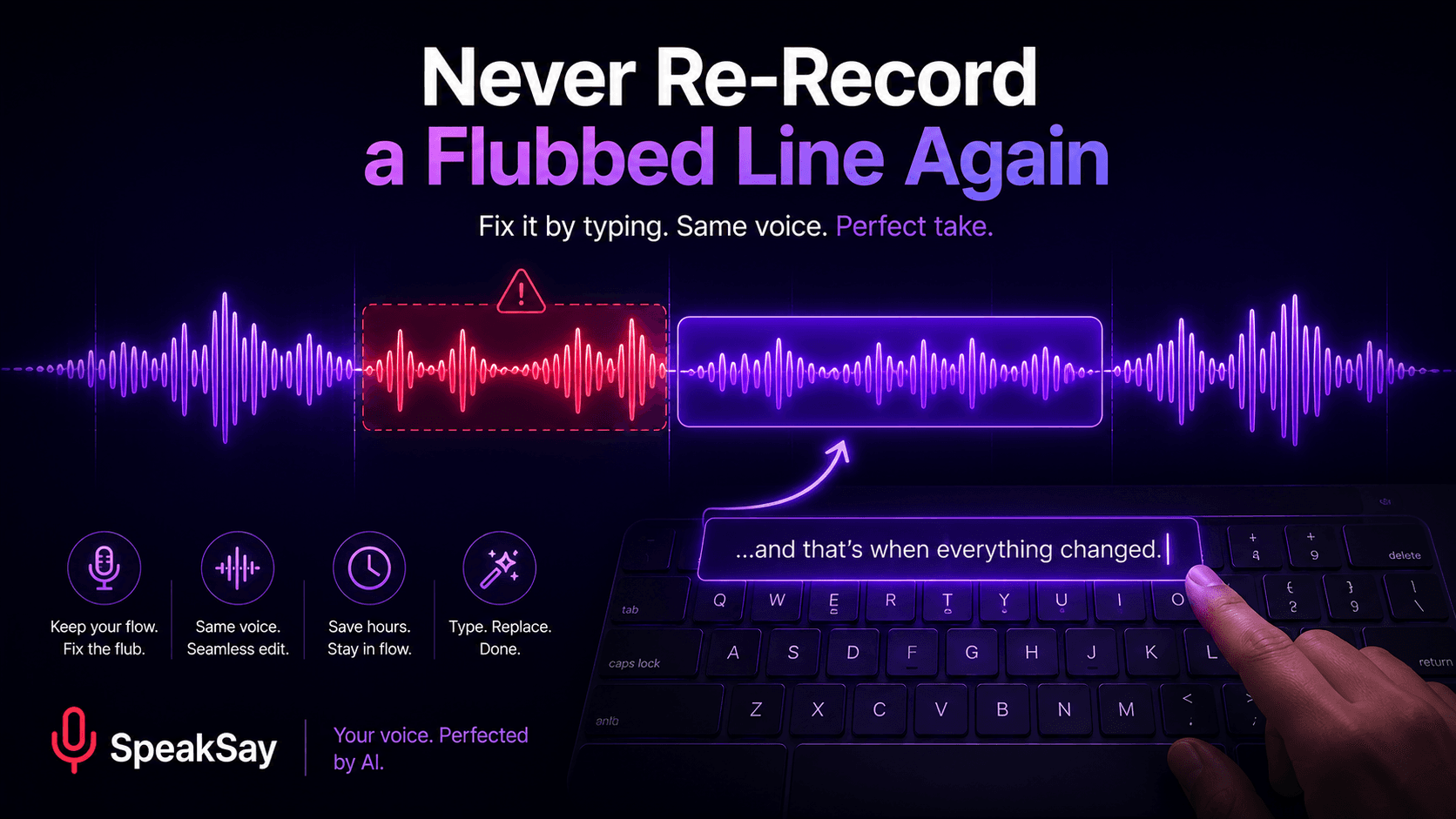
A voice clone is a model of your voice built from clean samples of your speech. Once it exists, you can type any sentence and generate audio of you saying it — same timbre, same accent, same character. For pickups, that means:
- Type the corrected sentence (or just the corrected phrase).
- Generate it in your cloned voice.
- Splice it into the episode in your editor.
The clone doesn't have your session's exact energy automatically — that's what the matching techniques in section 6 are for — but it eliminates the mic setup, the room-tone lottery, and the "my voice sounds different today" problem entirely. The patch source is always available and always consistent.
Clone your voice once, fix mistakes forever
SpeakSay voice cloning builds a high-fidelity clone from a few minutes of clean audio — your accent, your rasp, your character included.
4. Step 1: Clone Your Voice Properly (Once)
Patch quality is capped by clone quality, and clone quality is capped by your training audio. Three rules:
- Train the clone on your show voice, not your reading voice. Record samples the way you actually sound on the podcast — conversational, at performance energy. A clone trained on careful narration will patch conversational episodes badly.
- Use clean, dry audio. No music bed, no heavy processing, minimal room echo. If your only samples are noisy, run them through a free noise-removal tool first — but a quiet re-record of training samples is better.
- Match your usual mic and distance. Training samples recorded on your regular setup make the clone's tonal character match your episodes by default.
Spend thirty minutes getting this right once, and every future patch inherits the quality.
5. Step 2: The 5-Step Patch Workflow
- Isolate the smallest fixable unit. Don't regenerate the paragraph — patch the sentence, or even just the clause with the error. Shorter patches are easier to blend.
- Type the correction with context. Generate a few words before and after the error too ("...which brings the total to fifty percent this year...") so the patch carries natural sentence rhythm, then trim to what you need.
- Generate 3–4 takes. Clones vary delivery slightly between generations. Pick the take whose pacing best matches the surrounding audio.
- Splice at natural boundaries. Cut on breaths, pauses, or hard consonants (t, k, p) — never mid-vowel. Crossfade 5–15 ms at each cut.
- Match loudness last. Level the patch to the surrounding sentence by ear and by meter, then listen once with your eyes closed. If you can't find the patch, ship it.
6. Step 3: Make Patches Seamless — Pacing, Tone & Room Sound
The three giveaways of a bad patch, and their fixes:
- Pacing mismatch. Generated speech often runs slightly slower than excited conversation. Fix: time-compress the patch by 2–5% or choose a faster take — never stretch the surrounding audio.
- Too clean. Your episode has room tone; a generated line is silent behind the voice. Fix: lay the patch over a bed of your episode's own room tone (grab two seconds of "silence" from the session and loop it under the patch).
- Processing mismatch. If your voice chain has EQ and compression, the raw patch won't match. Fix: route the patch through the same chain — same EQ, same compressor — before the final mix.
With those three handled, patches routinely pass the blind test — including your own.
Publishing weekly? Do the math on unlimited fixes
If you produce episodes every week, patch generation is a recurring need. SpeakSay's lifetime plan means one payment covers your clone and every correction you'll ever type.
7. When You Should Still Re-Record (Honesty Section)
Typed patches are a scalpel, not a substitute for performance. Re-record instead when:
- The fix is emotional, not factual. If a whole story landed flat, no one-line patch saves it — the performance is the problem.
- You're patching a guest. Never generate words in someone else's voice without explicit consent — it's an ethical line and, under 2026 voice-likeness rules in many jurisdictions, a legal one. Ask the guest to send a voice memo pickup instead.
- The patch changes meaning materially. Fixing "fifteen" to "fifty" is a correction; rewriting what you claimed after publication is an integrity problem. Corrections to published episodes deserve a note in the show notes.
Used within those lines, the typed pickup is simply the modern version of what audiobook studios have always done — punch-and-roll, minus the studio.
8. FAQ
Will listeners be able to tell the line is AI-generated?A well-trained clone, patched at natural boundaries with room tone and matched processing, is very hard to detect on a single sentence. Long generated passages are easier to spot — which is why patching works best at sentence scale.
How much audio do I need to clone my voice?Quality matters more than quantity: a few minutes of clean, conversational, well-recorded speech beats an hour of noisy audio. See the SpeakSay cloning guide for sample requirements.
Can I fix mistakes in old episodes without the original project files?Yes — you can patch the rendered MP3/WAV directly. It's slightly harder to blend without separate tracks, but the room-tone and crossfade techniques in section 6 still apply.
Is it legal to patch my own voice with a clone?Your voice, your clone, your content: yes. The legal and ethical constraints arise when generating someone else's voice — always get written consent for guests or collaborators.