You're On Camera in Half the Video. Why Your AI Voiceover Sounds Like a Different Person in the Other Half (2026)
Viewers comment that the voice changes halfway through, so creators conclude the clone is bad and go shopping for a better one. It almost never is the clone. The hybrid video — talking head cut with b-roll narration — is the only place a voice clone is judged against the real thing eleven seconds later, and what fails at the cut is overwhelmingly acoustic: room tone, proximity, spectral balance and loudness, not timbre. Here is how to tell which of the three mechanisms is yours, and why the fix runs toward the room rather than toward the studio.
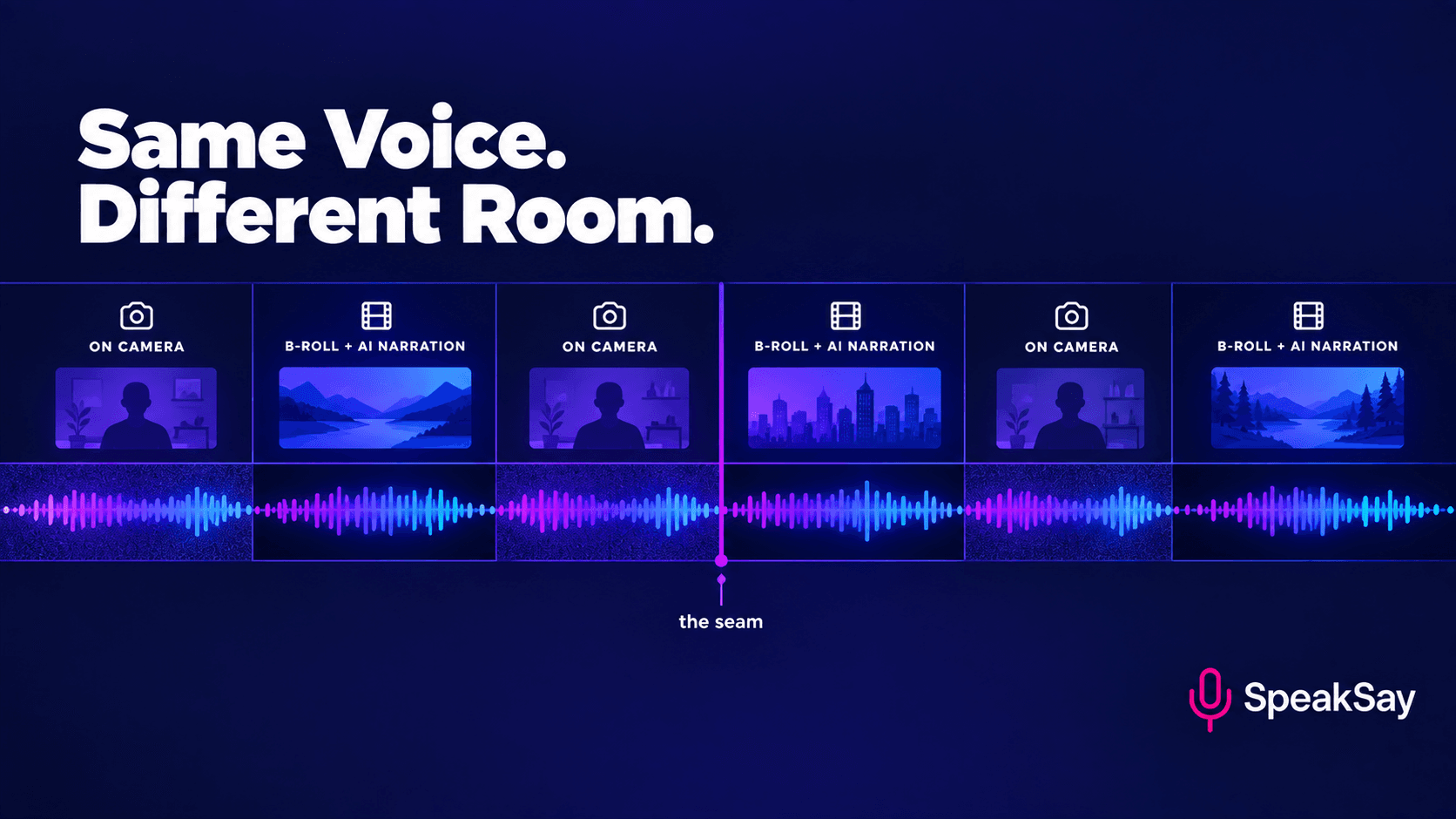
1. The hardest test a clone ever faces
Think about where clones normally get used. A faceless channel, an audiobook, a podcast intro, a dubbed track. The listener has never heard the real voice, so there is no ground truth and no reason to look for one. A clone that is eighty-five per cent right passes as a person.
Hybrid video breaks that. You talk to camera for twenty seconds, cut to b-roll narration for thirty, cut back, and across ten minutes that boundary might occur fifteen times. Each one presents the original and the copy inside the same minute, with the comparison made for the viewer by the edit.
Hence a very specific misdiagnosis. The creator hears the problem correctly, then attributes it to the only variable they know how to buy. The next model is better on every published measure and the comment reappears. Note what viewers actually write: the voice changes, not the AI sounds bad. That is difference detection, which the ear performs at a far lower threshold than quality judgement.
One asymmetry shapes everything below. A voice obviously not yours is filed as a narrator and costs nothing. A voice nearly yours is filed as something is wrong with him. Near-misses are punished harder than clean differences, and most creators sit in that middle without realising there are two ways out.
2. Mechanism one: acoustic, not timbral
Consider what on-camera audio physically is. A lav clipped fifteen to twenty centimetres below your chin, partly covered by fabric, or a shotgun sixty to ninety centimetres away and off axis. It captures you in a real room with a real noise floor: ventilation, traffic, a computer fan. It carries reflections off the desk and the wall behind you, proximity effect adding weight through the low-mids, and a performance aimed at a lens.
Now consider a render. No room, no floor, no reflections, no proximity, no bleed, and gaps between words that are digital silence. It is a recording made in nowhere, and nowhere has an acoustic signature of its own.
Timbre, the thing a clone reproduces, is only one of the cues the ear uses to judge whether two recordings are the same speaker. Room, distance and spectral balance carry much of the rest. Prove it in five minutes: record a sentence into your phone in a tiled bathroom, record it again on your lav, cut the two together and play it to someone who does not know the test. They will usually say two people. Run it backwards and the same holds: a stock narrator voice with your room tone under it, level and tone matched to your lav, often passes without comment.
That is the whole argument. Same voice in different conditions, heard as two people. Different voices in matched conditions, often heard as one. Clone quality operates on the variable that was already closest to correct.
The honest limit: this is predominantly acoustic, not purely. There is a real timbral failure mode with a clear signature. A clone trained on a short or narrow reference loses the extremes of your pitch range, so emphatic peaks flatten and the low register you drop into for asides goes missing. No EQ repairs that, because nothing was removed by the acoustics — it was never modelled. Match the acoustics and still hear a smaller-range stranger, and the clone genuinely is your problem.
3. Mechanism two: performance register
On camera you are talking to a person, because the lens stands in for one and your body treats it as one. Narrating b-roll you are explaining over pictures. Different speech acts, and almost nobody makes the switch deliberately.
What changes is measurable. Pace goes up on camera, pushed by gesture and eye contact. Pitch range widens. You start sentences you do not finish. You use connective filler that carries rhythm rather than meaning. Emphasis lands earlier. Energy is uneven in a characteristic way: push a point, coast a sentence or two, push again.
The render is even, partly because evenness is what a model produces from evenly written text, and partly because you wrote the narration in the register you write in rather than the one you speak in. One half was composed at a keyboard, the other improvised at a camera.
Listeners do not hear that as a change of style. Register is bound tightly to person, so when register and acoustics shift at the same edit point the brain reaches for the simplest explanation: the speaker changed. Usefully, this mechanism survives a perfect acoustic match. Fix the room and find the mismatch barely moves, and register is carrying the remainder.
4. Mechanism three: you cloned the wrong source
Every cloning guide says the same thing: quiet room, close mic, no processing on the way in, consistent distance, read cleanly. That advice is correct, and it is correct for a different job than the one you have.
Those guides target deliverables where the render stands alone, and there a pristine source is better because the only standard applied is absolute. In hybrid video the standard is relative, and what it is relative to is your lav in your untreated room. So the usual advice produces a clone that faithfully reproduces you under conditions your audience has never heard you in. Accurate, and not a match.
The fix follows: clone from your actual on-camera audio. Notice what the standard workflow costs, too. Creators record a clean reference, render clean, then spend an evening adding room tone and EQ to drag it back toward the lav — two jobs where one would have done.
5. Ten minutes to find out which one is yours
Do not guess between the three. Three tests, ten minutes, any editor with a level meter.
Test one: A/B the boundary (three minutes). Export six seconds from a cut point, three of on-camera tail and three of render head, music muted. Loop it five times, then listen to each half alone. If the change is glaring in the loop and neither half sounds wrong on its own, the problem is the seam. This is the most common result by a distance.
Test two: null the room tone (three minutes). Take two seconds of silence from between your on-camera sentences and two seconds of inter-word silence from the render. Raise both by about 40 dB. Your on-camera silence becomes a wash of air conditioning, street and hum, because it was sitting around minus 45 to minus 55 dBFS. Your render silence stays silent, because it is below minus 80 dBFS or exactly zero.
Test three: check register (four minutes). Take one sentence of narration, say it into the camera on your usual rig, render the same sentence, match levels. If they are acoustically similar and still sound like two people, the difference is performance. Confirm with numbers: words divided by duration for each, and mark which words you stressed.
Read the results like this. Audible only at the boundary: acoustic, sections six and eight. Survives a proper acoustic match: register, section nine. Sounds like a flatter, narrower you even in isolation: the clone, section seven.
Run the test sentence before you change anything
Render one line from your script and drop it next to your on-camera take. Ten seconds of comparison tells you more than a week of reading about voice models.
6. The acoustic variables to match
Five variables account for nearly all of the gap, listed in the order they are worth fixing rather than the order people attempt them.
| Variable | On camera | Mismatch sounds like | Fix |
|---|---|---|---|
| Level and loudness | Speech around minus 18 to minus 14 LUFS short-term | A jump at the cut, read as a person change more reliably than any timbral cue | Match short-term LUFS across each boundary within about 1 LU; master to roughly minus 14 LUFS integrated for video, minus 16 for podcast, true peak under minus 1 dBTP |
| Room tone and noise floor | A continuous broadband wash, commonly minus 45 to minus 55 dBFS in an untreated room | The world goes silent at the cut; viewers call the render "too clean" | Record 30 seconds of silence on the same mic, loop it under every rendered segment, set the level by ear against the floor either side |
| Proximity and low-end body | A lav at 15 to 20 cm adds real weight through 100 to 250 Hz; a boom adds far less | The render sounds smaller and thinner, or boomier if the clone source sat closer than your lav | A shelf of 1.5 to 3 dB around 120 to 200 Hz in whichever direction closes the gap; high-pass both at the same corner, 80 to 100 Hz |
| High-frequency air and mic character | A lav under a shirt loses energy above 6 to 8 kHz and has its own presence signature | The render is brighter and crisper, which viewers read as "more professional" — that is the tell | Shelf the render down 2 to 4 dB above 8 kHz and dip where the lav is dull; match down to the lav, never up |
| Reverb tail | An untreated domestic room decays over roughly 0.3 to 0.6 seconds | The render sounds like a different building, most obvious on the last word before a pause | A small room reverb at 5 to 12 per cent wet, 10 to 20 ms pre-delay, decay by ear; err short |
Order matters more than precision. Loudness and room tone close most of the gap in minutes. EQ and reverb are the last fifth, and they are where people spend an evening while an unfixed level mismatch disguises itself as a tonal one. Treat every number as a starting point: your lav, your room and your voice set the real values.
7. Cloning from the right source
If the deliverable is hybrid video, train on the audio your render has to sit beside: finished on-camera dialogue, not a special session.
What to feed it. Three to eight minutes of your speech pulled from published videos, taken from the isolated dialogue track rather than the mixdown so nothing bleeds underneath. Use the rig you intend to keep. Spread clips across two or three shoot days so the model averages your room instead of memorising one afternoon, and favour passages where you are talking rather than reading.
What to keep out. Anything through heavy noise suppression or de-reverb, because the clone learns the artefact and reproduces it permanently as a faint watery quality. Anything with music under it. Anything squashed by an aggressive limiter, which flattens the dynamics you are trying to capture. Clips where you read to the lens, and clips from a day you were unwell.
The trade-off, plainly. This clone now carries your room, which is the point and also a liability: change microphone, move flat or treat the room and it is wrong in the opposite direction, so budget a re-clone whenever the rig changes. Test one thing before committing a project — render sixty continuous seconds and solo the gaps, because a noisy source can produce a clone with its own unpredictable floor, which is harder to work with than silence.
For most people the answer is two clones. A clean one for deliverables that stand alone, a room one for hybrid video. Not a hedge: it follows from accepting that a render should match its neighbours rather than an absolute standard.
Clone the voice your audience already knows
Train on real on-camera dialogue instead of a booth take, and the render arrives already close to the half of the video your viewers treat as ground truth.
8. Seam treatment: bring the render toward the room
One rule governs this section: process toward the messier source. The render moves toward the lav. The lav never moves toward the render.
Two reasons, both load-bearing. Restoration tools leave signatures — de-reverb smears consonants, spectral denoise puts a metallic shimmer on breath — and those artefacts are loudest on the material your audience treats as ground truth. More fundamentally, viewers believe the on-camera audio because they can see the person making it. Make that half sound synthetic and you have not closed the gap, you have moved it.
The thirty-second habit. At every shoot, before you strike the set, record thirty seconds of silence on the same mic in the same position with everyone still. Label it by date and location. It is the highest-value habit in this article and it costs half a minute. Without it you are synthesising room tone from guesswork, or borrowing someone else's room.
- Match loudness first. Short-term LUFS both sides of every boundary, within about 1 LU, before touching anything else.
- Lay the room tone bed. Under every rendered segment, level-set against the floor either side, running continuously across the cut so the room never appears and disappears.
- EQ the render toward the lav. Three bands by ear is usually enough. A match EQ is faster, but pull it back to about half strength, because full automatic matching overshoots into a strangled sound.
- Add a small room send. Five to twelve per cent wet on the render only, judged on the last word before each pause.
- Edit the seam. An 80 to 150 ms audio crossfade, with the audio cut offset three to six frames from the picture cut. A split edit works here for a modern reason: simultaneous change in two channels is what makes a transition legible.
A note on music. A bed under everything masks the seam, and it masks it from you, which is how creators ship problems they cannot hear. Do your boundary checks with the music muted, fix what you find, then listen again with it in.
9. A register spec for the narration script
If the diagnostic pointed at register, the work is in the script. The goal is narration written the way you talk to a camera, which is not how anybody naturally writes.
- Measure your real pace first. Count transcript words in a finished video and divide by speaking duration. Most talking-head creators land between 150 and 180 words per minute; many default presets sit nearer 140 to 160, a perceptible slowdown at a cut. Set the rate to your measured number.
- Cap sentences at about eighteen words and average nearer twelve. Written narration drifts to thirty, which nobody says to a lens. Put one four-to-six-word sentence in every paragraph, because short sentences are where speech rhythm lives.
- Contractions, always. It's, you'll, doesn't, here's. A script without them reads as written prose and renders as written prose.
- Keep the second person. If the on-camera half says "you" and the narration says "users" or "one", the register has changed even though the voice has not.
- Allow connective filler, sparingly. Not hesitation, but the words carrying conversational rhythm: so, right, look, here's the thing. One every sixty to ninety seconds; more reads as performed casualness.
- Write the energy curve in. Mark the lines where you would coast. If every sentence is a point being pushed, the render pushes every sentence, and uniform emphasis is the most reliable tell there is.
- Keep the breaths. Stripping them is borrowed from clean voiceover work and actively wrong here, because the on-camera half is full of breaths you could not remove if you tried. If the engine strips them, paste breaths from your own outtakes.
- Read it to the lens before rendering. Out loud, as though shooting. Anything you cannot say without sounding like a press release needs rewriting, and this finds those lines in thirty seconds where silent reading never will.
10. When the on-camera take is the problem
All of the above assumes the on-camera audio is the good half. Sometimes it is not: a hotel room with hard walls, a tiled kitchen, a street shoot, air conditioning nobody would switch off, a head cold, footage from before you owned a decent microphone. Dragging a clean render down into that room gives you two bad halves instead of one.
Then the fix runs the other way. Put the on-camera take through speech-to-speech into your clean clone. Voice Remix takes your original performance as input and re-voices it: timing, pauses, emphasis and hesitation live in the source and survive, while the acoustic delivery is replaced. Both halves become renders from the same model, so there is nothing left to seam. It disposes of the register problem at the same time, because the performance is genuinely yours.
The costs are real. You lose some of the grain that made the live take feel live. Heavily degraded sources produce artefacts of their own, so wind or clipping will not be rescued. And if every on-camera segment gets re-voiced, both halves are synthetic, which defeats the point of putting a face on screen.
Keep the rule narrow, then. A rescue for a shoot that went wrong, not a standing workflow. Test Voice Remix on your worst existing take rather than your best one.
11. Match your voice, or cast a different narrator
Here is the counter-argument most articles skip, and it deserves a hearing: matching is not always the right goal. Casting the narration as a deliberately different, clearly non-you voice removes the comparison entirely, and for several common formats that is the better product.
Audiences have decades of convention for it — documentary narration over interview footage, an essay voice over archive, a presenter on camera and a different narrator over the reconstruction. Nobody hears those as errors, because the second voice is obviously doing a different job, so the comparison never starts and cannot fail. Recall the asymmetry from section one: anyone who cannot commit to the matching work is better served by deliberate difference than by a near-match.
| Format | Better answer | Why |
|---|---|---|
| Talking-head explainer with b-roll, you as the subject expert | Match | The narration is the same person continuing the same thought. A second voice implies a second authority |
| Short-form under sixty seconds, face hook then b-roll payoff | Match, and match hard | Two halves seconds apart, on a phone speaker, music low. If you cannot match, keep it all on camera rather than cutting to narration |
| Documentary or video essay with a scripted spine and interview inserts | Cast a distinct narrator | Narration frames the on-camera material rather than continuing it. Difference is the point, and an obviously other voice ends the comparison before it starts |
| Tutorial or walkthrough, brief face intro then screen capture | Either, slight edge to matching | Screen-capture stretches establish their own mode, so a distinct narrator is acceptable. Matching still helps on personality-led channels |
| Client or brand video where the on-camera talent is not you | Cast, deliberately | Cloning someone else's voice raises consent and licensing questions, and a near-match on hired talent reads as cost-cutting |
| News-style or roundup channels with rotating presenters | Cast one narrator as the channel's spine | Consistency across episodes beats per-episode matching. The narrator becomes the brand and presenters come and go around it |
| Vlog or travel with wild on-camera audio, narration added later | Usually cast, unless the rig is stable | Wild audio varies so much between locations that matching chases a moving target, and a separate narration voice is already the convention |
Two rules if you cast. Make the difference obvious rather than marginal, because a clearly different age, gender or accent works while "a bit deeper than me" lands back in the uncanny middle. And keep that voice consistent so it accumulates into the channel's narrator. Audition candidates against your own on-camera audio, never in isolation.
Whichever route you take, commit to it. The failure state is neither of these. It is accidental difference: a clone you meant to match that does not, presented as though it does.
12. A five-step QC pass
The object under test is the cut points, not the video. Watching your own edit end to end is the least efficient way to find seam problems, because you stop hearing your own work by minute three.
- Boundary loop. Every cut point, three seconds either side, looped twice, music muted. A minute per ten transitions, and it catches most of what a viewer catches.
- Level check. Short-term LUFS both sides of each boundary. More than about 1 LU apart gets fixed before you listen again, because a level mismatch disguises itself as a tonal one.
- Silence check. Solo the gaps either side of each cut. If the world goes quiet when the narration starts, the room tone bed is missing, too low, or not running across the transition.
- Mono check. Collapse to mono. Phone speakers, laptops and most televisions are mono or close to it, and a stereo reverb on the render collapses very differently from a mono lav.
- Phone speaker, at arm's length. No headphones, music muted first and in second, listening only at the cut points. The phone rolls off the low end and passes the mid-range, which is exactly where the seam lives, so it is the strictest test you have and also how most of your audience will hear the video.
Fifteen minutes on a ten-minute video with a dozen transitions. The cheapest quality work available to anyone making this kind of content, and skipped almost universally in favour of buying a better voice.
Work out what matching actually costs
Cloning, re-rendering, the occasional remix rescue and a full retrain when your rig changes all draw on the same allowance. Check what a year of hybrid video production comes to.
13. FAQ
Why does my AI voiceover sound different from my on-camera audio?Almost always because the two were recorded in different acoustic conditions, not because the clone is inaccurate. On-camera audio carries room tone, reflections and proximity effect; a render has none of those and its silences are digital black. Same voice, different conditions, heard as two people.
Can I get an AI voiceover that matches my voice exactly?You can get one close enough that viewers stop noticing the transition, which is the real goal. Exactness is the wrong target: the comparison is not with your voice in the abstract, but with your voice as recorded on your lav in your room.
Should I clone my voice from a clean booth recording or from my on-camera audio?It depends on what sits beside the render. For audiobooks, podcasts and faceless narration, clone clean — the standard advice is right. For hybrid video, clone from three to eight minutes of real on-camera dialogue on the rig you use. Many creators end up keeping both.
How do I fix the seam between on-camera audio and AI narration?In order: match short-term loudness across the boundary within about 1 LU; lay a bed of your own room tone under every rendered segment, running across the cut; EQ the render toward the lav; add a small room reverb; crossfade 80 to 150 ms. The first two steps close most of the gap.
Why does my AI voice sound fine on its own but wrong in the video?Because on its own there is nothing to compare it against. Hybrid video is the only format that presents reference and copy within the same minute, repeatedly. A render that passes in a faceless video can fail eleven seconds after your face was on screen.
Should I use a different voice for b-roll narration instead of matching mine?For some formats yes, and it is a legitimate choice rather than a fallback. Documentary essays and travel content work well with a distinct narrator, because the comparison never begins. Keep the difference obvious: a clearly different age, gender or accent, not a voice slightly deeper than yours.
How much room tone should I add under AI narration?Enough that the floor does not change at the cut, set by ear against the on-camera audio either side rather than to a number. An untreated working room typically sits around minus 45 to minus 55 dBFS. Record your own thirty seconds at every shoot; a library file never quite fits.
Can I fix bad on-camera audio with AI instead of matching the render to it?Yes, occasionally. If the on-camera take is the weak half because of a bad room or a head cold, run it through speech-to-speech into your clean clone. Timing and emphasis survive because they live in the source, while the acoustics are replaced, so both halves become renders. A rescue, not a workflow.


