You Already Shot It and the Audio Is Unusable: Re-Voicing On-Camera Footage With Voice Conversion (2026)
The footage is good and the sound is ruined. Reshooting is impossible and a noise reducer cannot fix clipping, room reverb or wind. The 2026 answer is the one film has used for decades — re-perform the lines and replace the audio — except the conversion step now handles the part that used to need a studio
1. Why the standard advice fails
"Reshoot it" is correct and frequently impossible. The venue was a one-day rental, the event has finished, the guest was in town for an afternoon. Even when you can go back you cannot get the same take, so a reshoot is not a repair — it is a different video.
"Run a noise reducer" is where people lose a day. Speech-enhancement tools are good, and they have a structural limit: they remove what was added, they cannot restore what was never captured.
A denoiser models speech and non-speech and subtracts the latter. Hum, hiss, air conditioning and traffic fit that model — your speech is fully present underneath, the noise sits on top. Clipping does not: when a signal exceeds what the recorder can represent the peaks are gone, replaced with flat lines, and there is no layer to subtract.
The triage question is therefore not "how much noise is there" but "is the information still in this file, underneath something?" If yes, repair. If no, stop processing and start performing.
Which is what is new. Automated dialogue replacement — re-performing lines against picture weeks after the shoot, for the final cut — has been standard film practice for decades. It stayed out of reach for solo creators because it needed a dubbing stage with matched acoustics and a performer who could impersonate their own take. The 2026 coverage of AI dialogue-replacement tools is coverage of both barriers falling.
2. Why text-to-speech cannot do this and conversion can
If you take one thing from this article: when the speaker's mouth is visible, text-to-speech is the wrong tool and voice conversion is the right one. Not worse and better — structurally wrong and structurally right. Most people try TTS first, lose four hours, and conclude AI audio replacement does not work. It does; they used the tool that cannot.
The picture is already recorded, so the timing is already decided. Every syllable has to land at the frame where your lips already made it, and your take had a specific rhythm — a hesitation before the second clause, one stretched word, a breath in an odd place — all of which is on your face. Text-to-speech generates its own timing from written words, internally coherent and unrelated to what you did. Fight it with pause markers and stretching and you get audio that is approximately aligned and audibly wrong, because stretching distorts formants and the pauses land where no human would breathe. The uncanny quality people report from TTS over footage is not the voice; it is rhythm borrowed from a different performance.
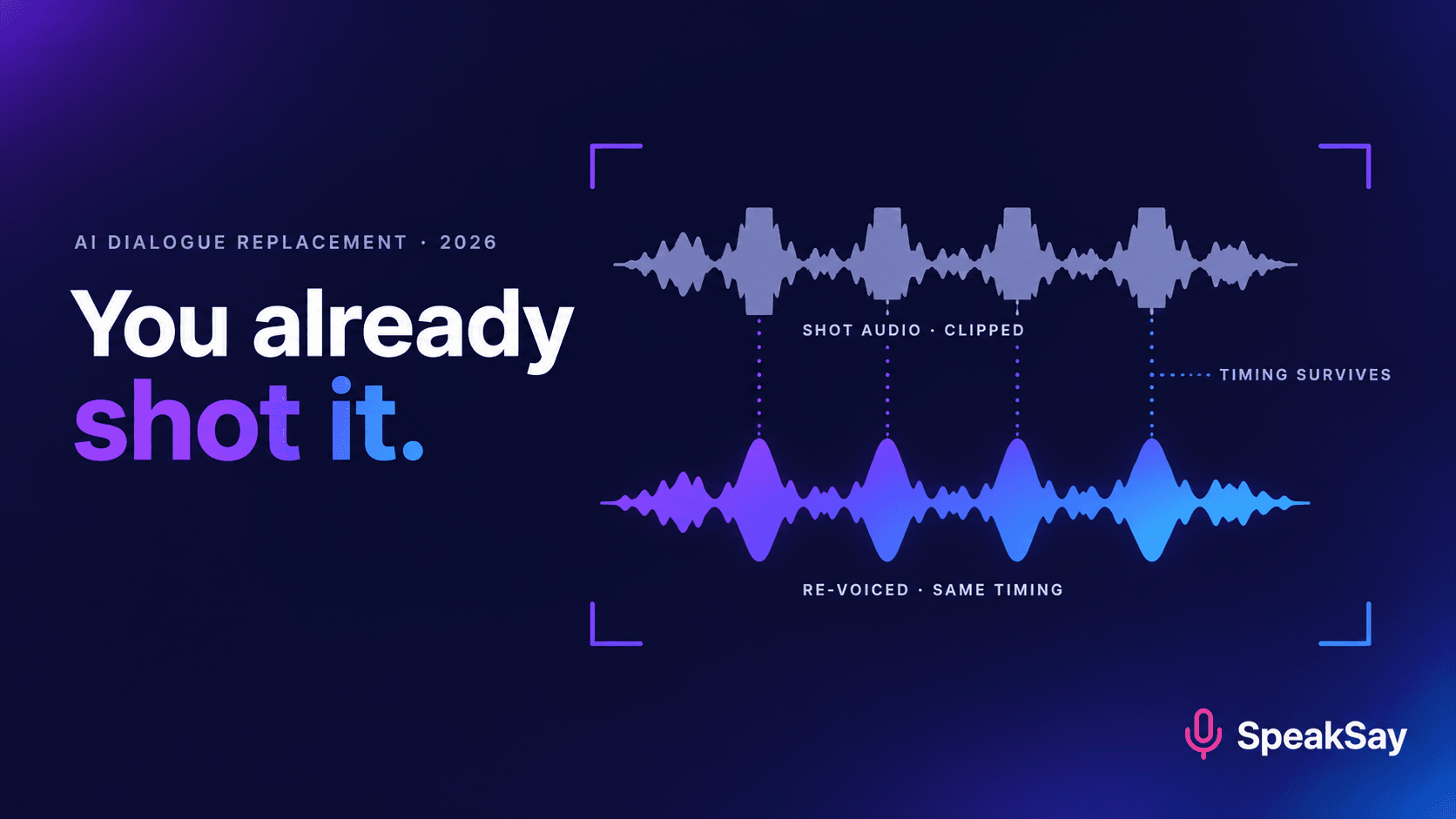
Voice conversion — speech-to-speech, what SpeakSay calls voice remix — inverts the problem. You give it a human performance and it replaces identity while keeping the performance: timing, phrasing, pausing, breath placement, pitch contour and effort all survive, and only timbre changes. That is exactly the trade this job needs, because the picture constrains timing and timbre is what got ruined. You perform to picture, and sync survives by construction.
This also scopes the work. Where no mouth is on screen — B-roll, screen recordings, cutaways, montages — TTS is the better answer and it is faster. The moment your mouth is in frame, switch tools.
Test the approach on thirty seconds first
Re-perform the worst thirty seconds and run it through voice remix. You will know in minutes whether the sync approach holds for your footage.
3. Triage: repairable, re-voiceable, or dead
Listen once on headphones without touching a plugin, then classify. With two faults at once, the worse one sets the verdict.
| Failure mode | Sounds like | Verdict | Why |
|---|---|---|---|
| Digital clipping | Brittle crunch on loud words | Re-voice | The peaks were never recorded; declipping guesses, and sustained guessing is audible. |
| Heavy room reverb | Hollow, words overlapping their own tails | Re-voice | Reflections are your voice, late. De-reverb helps a light room, not a bad one. |
| Wind buffeting | Low thudding, phrases turning to mush | Re-voice | A gust overloads the capsule, so no speech was captured underneath it. |
| HVAC hum, traffic, fans | Steady background, speech intelligible | Repair in post | Textbook additive noise. Do not re-voice a usable take. |
| Off-mic / too distant | Thin and roomy, noisy once raised | Usually re-voice | Distance costs signal-to-noise and adds room; raising level raises both. The classic "shot indoors on a phone" fault. |
| Plosive pops | Thumps on P and B, otherwise clean | Repair in post | Localised low-frequency energy on a few syllables. Minutes of work. |
| Crosstalk from a second speaker | Two voices on one channel | Often unrecoverable | Brief overlaps: re-voice your side. Continuous overlap: nothing sounds natural. |
| Dead lav channel | Flatline, or a crackle then nothing | Re-voice, if a camera track exists | Nothing to repair by definition; the camera track only has to guide you. |
| Phone-in-pocket rustle | Scraping and taps under the speech | Re-voice | Broadband and non-stationary, overlapping the speech spectrum — worst case for subtraction. |
| No audio at all | Silence on every track | Unrecoverable as sync dialogue | No reference track means no timing to perform against. Run the shot under narration. |
Repair beats re-voicing wherever repair is viable — original sync audio is always the most natural option. But do not stack attempts on a dead file: if forty minutes of processing has produced something you would not publish, more will not change the verdict.
4. Why your own voice and not a stock one
There is a shortcut here and it is a trap. You could skip cloning and convert your new take into a polished voice from a stock library. It will sound cleaner than you on your own microphone. Do not do it on footage where you are visible.
Your viewer has already seen your face, and faces carry strong expectations about voice — age, size, region, energy — formed before any words arrive. Put a different voice on a face and the audience does not hear "good audio". They hear something they cannot name and do not trust. Bad audio reads as a production problem, which is forgivable and forgettable. A mismatched voice reads as a problem with the person, which is neither. And if you have published before, a stock voice on your face is a discontinuity across your whole channel.
So build a clone of your own voice once and keep it. Clone from your on-camera register rather than your narration register: most people project differently to a lens, and a clone built from calm seated narration matches the timbre of an energetic walking piece but not its character. Record it on a normal day, since an impaired voice gets baked in.
5. The performance protocol
This is where the work is, and it is a performance task, not a technical one. Every fussy step exists because skipping it costs an hour later.
- Loop the clip with the original audio in one ear only. One earbud in, one out: you need the original to follow, and you need to hear your own live voice acoustically to control your performance. Two earbuds and you drift off-mic and lose your timing. Watch three times before speaking, to absorb rhythm rather than words.
- Match the original take, not the written script. The step people get wrong, and the one that wrecks sync. The words on screen are whatever you actually said: a dropped adjective, "sort of" twice, a restarted sentence. Your lips made those sounds. Transcribe from the footage, fluffs included, and perform that.
- Record in a quiet, reasonably dead room on a consistent microphone. You control conditions now. Quiet matters more than beautiful, and consistent matters more than either — same mic, same distance, every pass and every clip.
- Work in whole sentences, never in words. Word-level patching gives the flattest result in this workflow, because prosody lives across a phrase and a word recorded alone has none. If a sentence will not land, record the sentence; if a paragraph will not land, record the paragraph.
- Do two or three full passes and keep them all. The first is you working out the rhythm — accurate, stiff, usually unusable. The second is almost always the winner, because you know the timing and have stopped concentrating on it.
- Perform at the effort level you can see. If you were walking or slightly out of breath, do that. An animated face over calm seated audio reads as wrong even at frame-perfect sync.
Convert whole passes rather than fragments, then choose per sentence. Once you have done this twice, budget three to five minutes of work per minute of finished dialogue.
6. The seam problem: partial versus full replacement
Here is the mistake behind most "it nearly worked" outcomes. One line is ruined — a door slammed, a plane went over — so you re-voice that line and drop it back in. It is almost always audible, and not because the conversion was poor. You have placed audio from your room on your mic directly against location audio from a different space: room tone, noise floor, microphone character and level all differ. Back to back with no gap they read as an obvious edit, often more distracting than the fault you were fixing, because hearing is very good at catching a sudden change of acoustic space. The rule: re-voice the whole continuous speech block, or hide the seam at a boundary the viewer already accepts.
| Situation | Approach | Seam risk | What to do |
|---|---|---|---|
| One bad word in a good sentence | Micro-patch | Very high | Re-voice the whole sentence, preferably the paragraph. |
| One bad line in an unbroken take | Partial replacement | High | Re-voice from the previous cut to the next one. Barely more work. |
| Bad block ending at a hard cut | Replace up to the cut | Low | The cut masks it — cuts reset acoustic expectations. |
| Bad audio before a B-roll section or a music entry | Replace the on-camera part only | Low | Change acoustic space where the picture or the music changes. The cleanest hiding place there is. |
| Whole clip unusable | Full replacement | None internally | Easiest case: no original audio to sit beside. Just match adjacent clips. |
| Good and bad alternating across an interview | Replace everything | Unmanageable if partial | Never patchwork: many seams is worse than one consistent replacement. |
Then make the replacement sit down: lay 30 seconds of room tone underneath so the noise floor is continuous across the join, and match level and brightness to the surrounding clips — a close mic in a quiet room is brighter than anything shot on location.
Build the clone once and re-voicing becomes a Tuesday task
The performance is the work. Conversion should be trivial — and it is, once your voice is a reusable asset rather than a per-emergency setup.
7. Sync repair: frames, tolerance and landmarks
If you followed the protocol, your replacement is close. Close is not aligned. Expect a few minutes of nudging per clip.
Lip sync has a perceptual window rather than a threshold: under about 40 ms nobody notices, and between 40 and 80 ms viewers feel something is wrong without being able to say what. Since a frame is 40 ms at 25 fps and 33 ms at 30 fps, one frame out is usually fine, two starts to itch, three or more is visible.
The asymmetry matters more than the numbers. Audio arriving slightly early is much more wrong than audio arriving slightly late. Broadcast sync guidance has long allowed more latitude for late audio, for a physical reason: sound arrives after light, always. Late audio is familiar. Early audio does not occur in nature, so it is flagged immediately. If you must be wrong, be late.
| Offset | Frames (25 fps) | Audio late | Audio early |
|---|---|---|---|
| 0–40 ms | 0–1 | Inaudible | Inaudible |
| 40–80 ms | 1–2 | Fine to most viewers | Something feels off |
| 80–120 ms | 2–3 | Noticeable on close shots | Clearly wrong |
| Over 120 ms | 3+ | Out of sync | Out of sync and unpleasant |
Do not eyeball two waveforms into agreement — they are different recordings and will not look alike. Align to one unambiguous event. A visible plosive is the best landmark: a P or B at the start of a word gives you a lip closure on a specific frame and a sharp transient in the waveform, and lining those up near the start of a block usually drops the rest into place. If you can plan ahead, clap once on camera before speaking — a free clapperboard. Then check a hard T or K late in the block: if the start matches and the end drifts, split at a natural pause and align each half rather than time-stretching. Pauses are an alignment reservoir — 100 ms of drift disappears into a gap where the mouth is closed. Check the result on the biggest screen you have, because an offset that passes in a small preview is obvious at full size.
8. Where this genuinely does not work
The technique has a real envelope. In each case below the right answer is often not a better workflow but to cut the shot or cover it with B-roll.
- Extreme mouth close-ups. Tolerance collapses when the mouth fills the frame: viewers read individual lip shapes, not just timing. Wide and medium shots are routine; tight close-ups are often not worth it.
- Laughter and non-speech vocalisations. Laughs, sighs, gasps, the intake before a joke — visible on the face, very hard to re-perform, and conversion handles pure speech far better. Where you can, keep the original audio for the laugh and replace the speech around it; a laugh is its own natural seam.
- Two people overlapping on one channel. Re-voicing your lines leaves theirs damaged underneath, separation tools leave artefacts, performing both is not viable. Cut around the overlaps.
- Singing. Pitch, sustain and vibrato are far more exposed than speech, the picture locks you to an exact melody, and artefacts that vanish inside conversation are plain on a held note.
- Visible physical effort. Breath you can see, jaw tension, a visible swallow. The picture sets a physiological expectation that a clean studio re-performance contradicts.
And the general case: sometimes publishing the bad audio is correct. Viewers accept imperfect sound when there is an evident reason and the content is worth it — one line of on-screen text acknowledging a mic failure buys real goodwill. Re-voicing is for sound so bad the content is unwatchable, not for polishing sound that is merely not good.
9. Fixing one wrong word in a finished video
The same capability solves a tidier problem, and it is the one most people end up using more often. A video is finished and one thing in it is wrong: a price that has changed, 2024 where you meant 2025, the wrong product name. The old options were a reshoot, a correction in the description nobody reads, or a text overlay across your own face — all bad for evergreen content that will be found for years.
- Find the sentence containing the error and note its in and out points.
- Write a replacement with a similar syllable count and stress pattern. This is the whole craft. "Thirty-nine dollars a month" to "forty-nine dollars a month" is nearly free. "It starts at forty-nine" is not, and will not sit under the picture.
- Perform the whole sentence against picture, one ear, two or three passes.
- Convert, align to a landmark, and lay room tone underneath.
- Check the seams — this is the high-risk case from section 6, so extend to the nearest cut on each side if the join shows.
Where syllable count cannot be matched, hide the difference at a cut or under a brief cutaway rather than forcing sync. For a large evergreen library this turns ageing content from "reshoot or retire" into a fifteen-minute job, alongside the tools you already use for transcripts.
One clone, unlimited re-voicing, no per-fix arithmetic
This only becomes a habit if you are not costing out every three-minute correction. Check which plan makes back-catalogue maintenance cheap enough.
10. Prevention: three habits that end the problem
Dual-record, always
Two sources per shoot with distinct jobs. The camera's on-board audio is your sync guide — it does not need to sound good, only to exist, because it is what lets you re-voice if the rest dies. A lav, a small field recorder or a phone in a shirt pocket is your quality source. The two fail in uncorrelated ways: wind ruins the camera mic and not the lav under a jacket, a dead battery kills the recorder and not the camera. Set the second recorder conservatively — quiet-and-clean is recoverable, clipped is not — and monitor on headphones for the first ten seconds of every setup, because almost every disaster in section 3 is audible there.
Scratch-track thinking
Once you accept that any track can be a guide rather than a final, the stakes drop. A scratch track exists only to hold timing so something better can be built against it later — routine in animation and music. Applied here, you can shoot in a noisy market or on a windy clifftop knowing the camera sound is a scratch track, which opens locations you would otherwise avoid. The one requirement is that it be intelligible, not clean. Mushy but followable is enough. Silence is not.
Thirty seconds of room tone, every time
At every location, record thirty seconds of the room with nobody speaking and nobody moving, and say on the recording what it is. Location audio carries the room's noise floor continuously; converted audio carries your quiet room's floor, which is lower, and a sudden drop to near-silence under speech is one of the most obvious tells there is. Real room tone fixes that instantly and makes any partial replacement far more forgiving.
11. The consent boundary
Everything above assumes you are re-voicing yourself: your face, your voice, your footage, your words. Two boundaries apply the moment that is not true.
Never convert another person's on-camera performance into a different voice without their written, specific, current consent. If a guest's audio is ruined, the options are: ask them to record a replacement pass themselves, which they can often do on a phone from wherever they are; get explicit written agreement if their voice is to be reproduced from existing recordings; or cut the section. A release signed for appearing in a video is not consent to have a voice synthesised.
Never use this to put words in a real person's mouth that they did not say. Section 9 is about correcting a price you got wrong in your own video, not a licence to change what someone said on camera, and the fact that the technique looks seamless is exactly why the line has to be bright. A workable test: would the person on screen recognise the replacement as what they meant to say? Fixing your own stumble passes. Turning a guest's "probably" into "definitely" does not.
12. FAQ
How do I fix bad audio in a video I already shot?Decide which problem you have. If speech is intelligible under steady background noise — hum, traffic, a fan — repair it with a high-pass filter and a speech-enhancement tool. If the damage is clipping, reverb, wind, rustle or a dead channel, processing cannot help: the information was never captured. Re-perform the lines against picture and convert the recording into your own cloned voice, which preserves your timing so lip sync survives.
Can I use AI text-to-speech to replace the audio in my video?Only where no mouth is visible — B-roll, screen recordings, cutaways. Text-to-speech generates its own timing from written text, and that timing has no relationship to the lip movements already on your face. Forcing alignment requires stretching that distorts the speech and puts pauses where no human would breathe. When the speaker is on camera, use voice conversion: you perform the lines and only the timbre is replaced.
Will the audience be able to tell the audio was replaced?On a medium or wide shot, in your own cloned voice, with sync within a frame or two and room tone underneath — generally no. What gives replacements away is rarely the voice: it is a seam against original location audio, a missing noise floor, or a calm seated performance under an animated face.
How close does the sync need to be?Under about 40 milliseconds, roughly one frame, is inaudible. Between 40 and 80 ms most viewers sense something is off without identifying it. Past that it is consciously visible. The window is asymmetric: late audio reads as far more natural than early audio, because sound always arrives after light in the real world. If a line will not sit perfectly, nudge it later.
Can I re-voice just one bad line and leave the rest?Only if that line ends at a cut, a B-roll transition or a music entry. Dropping a converted line into continuous original audio puts two different rooms and noise floors side by side with no gap, and that change of acoustic space is more distracting than the fault you were fixing. Re-voice the whole continuous speech block, or hide the transition at a boundary the viewer accepts.
Should I re-record my voiceover to match the video, or match the script?Match the footage, always. The words on screen are whatever you actually said on the day — the dropped adjective, the repeated filler, the restarted sentence. Transcribe from the clip itself rather than your notes, fluffs included, and perform that. Reading the clean scripted line turns every difference into a sync break, and it is the most common reason a re-voicing attempt fails.


