Your Voice Agent Isn't Slow Where You Think: A Latency Budget for Real-Time Text-to-Speech (2026)
Teams shave 40 ms off their TTS vendor and the agent still feels slow, because text-to-speech is rarely the biggest slice of the pause. Here is a turn-by-turn latency budget, what "time to first audio" really measures, and the cheapest fix most teams skip: pre-rendering every line you can predict.
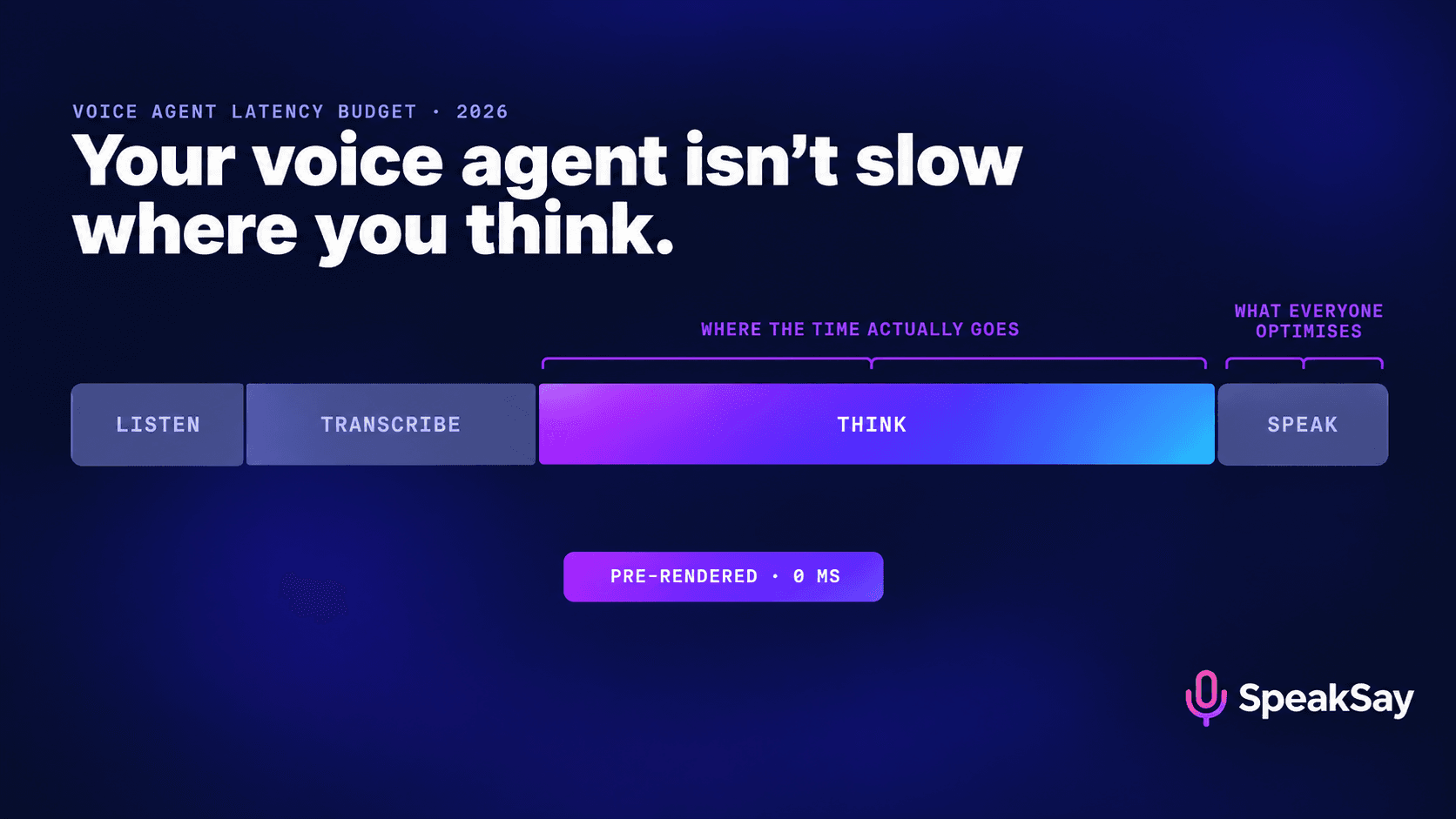
1. The short answer: what latency is "good enough"
For a voice agent, the number that matters is the gap between the caller stopping and the agent's voice starting. Production guidance in 2026 converges on a round trip of roughly 400 to 1,200 milliseconds for a cascaded agent (speech-to-text, then a language model, then text-to-speech), with the lower end feeling conversational and the upper end feeling like a hold line. A typical published budget looks like this: speech recognition 200–400 ms, the language model 100–500 ms, and text-to-speech producing its first playable chunk in 100–300 ms.
Two things follow immediately from those ranges:
- TTS is usually the smallest of the three stages. Shaving it from 150 ms to 90 ms is a real improvement, but it rarely moves a turn from "awkward" to "natural" on its own.
- The biggest and most variable slice is the model thinking. A long prompt, a tool call, or a retrieval step can add more than every other stage combined.
So "is our TTS fast enough?" is the wrong first question. The right one is "which of our turns need any runtime synthesis at all?" — and the answer is fewer than you think.
2. Anatomy of one turn: where the milliseconds go
Here is a single turn, broken into the stages that stack up between the caller's last syllable and the agent's first. The ranges are illustrative, drawn from published 2026 production budgets; your numbers will differ, which is exactly why you should measure them (section 7).
| Stage | What happens | Typical range | Who controls it |
|---|---|---|---|
| End-of-turn detection | The system decides the caller has actually finished, not just paused | 200–700 ms (silence threshold) | You — it's a setting |
| Speech-to-text finalisation | The transcript for the last phrase is confirmed | 200–400 ms | STT vendor + your config |
| Language model, first token | The model starts producing its reply | 100–500 ms (more with tools/retrieval) | You — prompt size, model choice, tool design |
| Text-to-speech, first audio | The first playable chunk of speech is ready | ~75–300 ms | TTS vendor + chunking strategy |
| Network and playback buffer | Audio travels to the phone network or browser and begins to play | 50–200 ms | Infrastructure, region, codec |
Look at the first row. End-of-turn detection is often the single largest avoidable delay, because teams set a conservative silence threshold to avoid interrupting slow speakers and then forget it exists. It isn't a model problem at all; it's a number in a config file.
And look at the fourth row honestly: it is real, it matters, and it is also the stage most teams have already optimised the hardest, because it's the one vendors advertise.
3. Time to first audio, and why benchmarks disagree
Time to first audio (TTFA) is the elapsed time from sending text to a TTS service to receiving the first chunk you can actually play. It's the right metric for voice agents because streaming TTS lets playback begin before the whole sentence is synthesised. It is not the same as "time to first byte": the first bytes over the wire may be headers or a container, not audio.
Published 2026 figures span a wide range — some vendors report model latency around 75–85 ms, others report P50 end-to-end figures around 150 ms, and others sit near 300 ms. Before you compare any two numbers, check four things:
- Model latency or end-to-end? Inference time on the server excludes the network hop to you. A 75 ms model can be a 200 ms experience from a distant region.
- P50 or P95? Callers remember the slow turn, not the median one. A vendor with a better median and a worse tail can feel slower.
- What input length? A three-word test phrase flatters everyone. Test with your real first sentences.
- From where? Measure from the region your telephony or app servers actually run in.
Independent evaluators have been blunt that vendor benchmarks are run under conditions favourable to the vendor. That isn't a scandal; it's normal marketing. It just means the only benchmark that counts is the one you run on your own traffic.
4. Most of what your agent says is predictable
Here's the reframe that changes the budget. Pull a week of transcripts from any production voice agent and sort the agent's lines into three buckets:
| Bucket | Examples | Runtime synthesis needed? |
|---|---|---|
| Fixed | Greeting, recording disclosure, "Let me check that for you", hold messages, "Is there anything else?", goodbye, transfer notice, error fallbacks | No — render once |
| Templated | "Your appointment is on [DATE] at [TIME]", "I've found [N] orders", "Your balance is [AMOUNT]" | Only the slot — the frame can be pre-rendered |
| Open | Free-form answers to unexpected questions | Yes |
In structured use cases — bookings, order status, payments, triage — fixed and templated lines usually make up a large share of what the agent says. Every one of those lines is currently being generated live, paying the full TTS cost and the full risk of a mispronunciation, on every call, forever.
There's a second win hiding here. The phrase the agent says while it thinks — "Let me look that up" — is the one line that directly hides model latency. If it plays instantly from cache the moment the caller stops, the caller hears a responsive agent even when the model then takes 700 ms to decide what to say next.
Render your fixed prompt library once
Generate greetings, disclosures, holds and fallbacks in the same voice your live agent uses, check every one by ear, and ship them as files.
5. The pre-render layer: how to build it
This is an afternoon of work for most teams, not a re-architecture.
- Harvest. Export a week of agent turns. Normalise whitespace and punctuation, then count exact-match lines. Anything said more than a handful of times a day is a candidate.
- Classify. Mark each line fixed, templated or open. For templated lines, split the frame ("Your appointment is on") from the slot ("Tuesday the fourteenth").
- Render in the production voice. Use exactly the same voice as the live path — same voice, same settings. If the cached greeting and the live answer sound like two different people, you've traded latency for uncanniness. Pick the voice from the voice library once and lock it.
- Listen to every file. This is the step runtime TTS can never give you. A pre-rendered line can be proofread by a human; a runtime line cannot. Fix pronunciations of your company name, product names and legal phrases here. (For the full method, see our guide to pronunciation and locale QA for voice agents.)
- Key the cache. Store each file under a stable ID plus a hash of its text and voice settings. When copy changes, the hash changes and a stale file can't be served by accident.
- Route. In the agent's response step, check whether the outgoing line matches a cached ID before calling live TTS. If it does, play the file. If not, stream as usual.
Two design notes. First, instruct the model to use the exact fixed phrasings where it can — a system prompt that says "when you need a moment, say exactly: 'Let me check that for you.'" raises the cache hit rate dramatically. Second, render in the format your telephony stack plays natively (commonly 8 kHz for phone lines) so there's no transcoding at play time.
6. Stitching cached and live audio without a seam
Templated lines are where people get nervous: can you play a pre-rendered frame and then a live slot without it sounding spliced? Usually, yes, if you respect three rules:
- Split at a natural pause. "Your appointment is on — Tuesday the fourteenth, at three p.m." Break where a human would breathe, never mid-phrase.
- Match loudness. Normalise cached files and live output to the same target so the slot doesn't jump in volume. A free audio normaliser is enough for the cached side.
- Prefer slot-first rewrites where possible. "Tuesday the fourteenth at three works — you're booked" puts the live part first, which is fine because the "let me check" filler already covered the latency.
And be honest about when not to do it. If a templated line has five slots, splicing becomes more trouble than it's worth; generate it live and pre-render only the filler before it.
7. Measuring latency the way callers feel it
Log timestamps at every boundary, per turn, and report percentiles — never averages.
| Metric | Definition | Why it matters |
|---|---|---|
| Perceived response gap | Caller's last audio frame → agent's first audio frame | The only number the caller experiences |
| End-of-turn wait | Caller's last audio frame → end-of-turn decision | Usually the easiest win |
| Model first token | Transcript final → first LLM token | Where prompt bloat and tool calls show up |
| TTS first audio | Text sent → first playable chunk | Your vendor's real-world TTFA |
| Cache hit rate | Share of agent turns served from pre-rendered audio | The lever this post is about |
| Barge-in collisions | Turns where agent and caller spoke over each other | Tells you if you tuned end-of-turn too aggressively |
Watch P95, not P50. A turn that takes three seconds once per call ruins the call, even if the median is excellent.
8. A 10-point latency checklist
- Measure the perceived response gap on real calls, by percentile.
- Check your end-of-turn silence threshold before touching anything else.
- Trim the system prompt; long prompts slow the first token.
- Move slow tool calls behind a spoken, cached filler line.
- Export a week of agent lines and classify fixed / templated / open.
- Pre-render every fixed line in the production voice and listen to each one.
- Key cached files by text + voice-settings hash.
- Instruct the model to use exact fixed phrasings.
- Stream live TTS in sentence-sized chunks, starting playback on the first chunk.
- Re-run the harvest monthly — new fixed lines appear as the product changes.
Running thousands of calls a month?
A prompt library is rendered once and re-rendered only when copy changes — compare SpeakSay plans against the volume you actually generate.
9. FAQ
What is a good latency for a voice agent in 2026?A caller-perceived response gap under about one second is workable for most business calls; well under that feels conversational. Published production budgets put a cascaded agent's round trip between roughly 400 and 1,200 milliseconds.
What is time to first audio (TTFA)?The time between sending text to a text-to-speech service and receiving the first playable chunk of audio. It's more meaningful for voice agents than time to first byte, because streaming lets playback start before the full sentence is generated.
Is TTS the slowest part of a voice agent?Usually not. End-of-turn detection and the language model's first token are commonly larger and more variable. TTS matters, but optimise it after you've measured the other stages.
Won't pre-rendered prompts sound different from live speech?Not if you render them with the same voice and settings as the live path and normalise loudness. The risk is using a different voice or model for each; lock both.
Does pre-rendering help with pronunciation too?Yes — it's the only part of an agent's speech a human can proofread before a caller hears it. Brand names, legal disclosures and product names should always be pre-rendered and checked.
What about speech recognition accuracy?That's the input half of the problem and a separate discipline. See our guide to testing voice agent speech recognition on names and numbers.


