Turn Any Blog Post or PDF into an AI Podcast — a NotebookLM Alternative That Doesn't Sound Synthetic
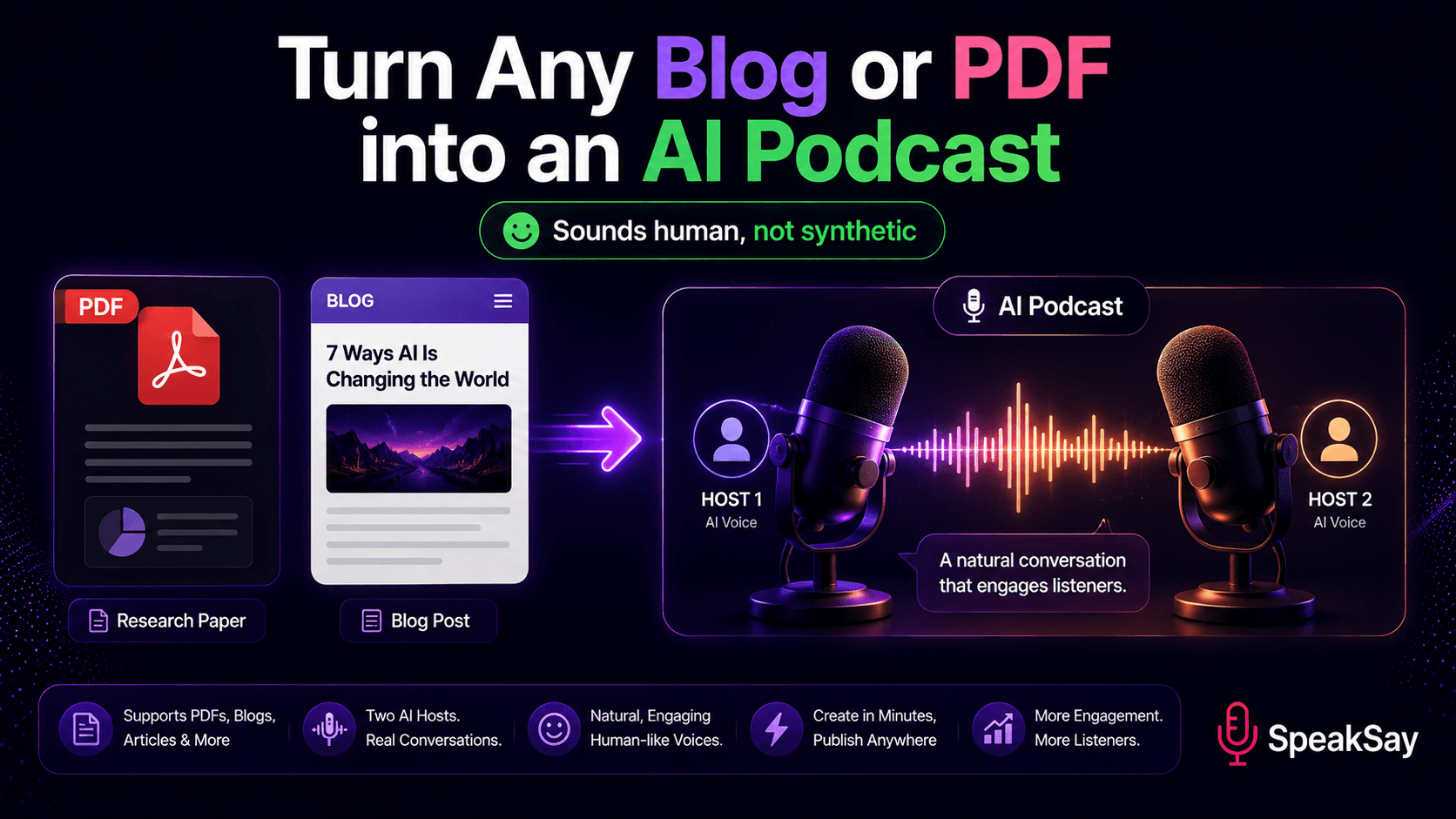
NotebookLM made "turn documents into a podcast" mainstream — and also exposed its limits: synthetic voices, slow generation, and no control. Here's how to turn any blog post or PDF into an AI podcast that actually sounds human, with the control NotebookLM won't give you.
1) Why Repurpose Content into Audio at All?
Every blog post, newsletter, and PDF you've written is a podcast episode waiting to happen. Audio reaches people who'll never sit and read — commuters, walkers, multitaskers — and it opens a whole new distribution channel (Spotify, Apple Podcasts, YouTube) from content you already own. Turning text into audio is the highest ROI repurposing move most creators ignore.
2) Where NotebookLM Falls Short
NotebookLM is impressive for a free demo, but creators run into the same walls:
| Limitation | Why it matters for creators |
|---|---|
| Synthetic-sounding voices | Hard to publish under your brand without cringe. |
| Slow generation | Breaks a daily/weekly publishing rhythm. |
| Little control over content | You can't reliably steer what the hosts cover. |
| Account / region gating | Inconsistent access and dependencies. |
| One fixed format | Always the same two-host chat; no flexibility. |
3) What to Look For in an Alternative
- Natural voices you'd actually publish under your brand.
- Control over script, tone, and which points get covered.
- Voice choice — pick or design the hosts, not a fixed pair.
- Speed that fits a real publishing cadence.
- Commercial rights so you can monetize the output.
4) How to Turn a Blog or PDF into a Podcast
- Pick your source. A blog post, newsletter, or PDF you want in audio.
- Shape the script. Keep your key points; tighten it for the ear (short sentences, clear transitions).
- Choose your hosts. Select natural voices from the SpeakSay voice library, or design custom ones with Voice Remix.
- Generate the episode with SpeakSay's AI podcast tool.
- Publish everywhere — your channel, podcast platforms, and social audiograms.
Make a podcast that doesn't sound like a robot read it
SpeakSay turns your blog posts and PDFs into natural, two-host AI podcasts with voices you control — and the commercial rights to publish them. Try it free.
Create your AI podcast →5) Making It Sound Like Real Hosts
The difference between "AI read my article" and "two people had a conversation" comes down to delivery:
- Give each host a distinct voice and personality — one curious, one explaining.
- Write in spoken language — contractions, short reactions, natural transitions.
- Add pauses and pacing so it breathes (see our guide to human-sounding AI voice).
- Clean the final mix with the free Audio Normalizer and Audio Enhancer.
6) High-Value Use Cases
- Bloggers: auto-publish an audio version of every post.
- Course creators: turn PDFs and lessons into listenable modules.
- Newsletters: give subscribers a "listen to this issue" option.
- Researchers/students: convert dense PDFs into digestible audio.
- Brands: repurpose whitepapers into shareable episodes.
Your content library is a podcast feed in waiting
Start free, then upgrade to publish unlimited episodes from the content you already have.
See SpeakSay plans →7) Frequently Asked Questions
What's the best NotebookLM alternative for podcasts?Look for natural voices, content control, and commercial rights. SpeakSay's podcast tool lets you choose your hosts and publish under your brand.
Can I turn a PDF into a podcast?Yes. Use the PDF as your source, shape it for the ear, choose your voices, and generate the episode.
Will the voices sound synthetic?Not if you pick natural voices and write for the ear. Distinct host voices plus pacing make it sound like a real conversation.
Can I monetize the podcast I generate?With SpeakSay you get commercial-use rights, so you can publish and monetize the episodes you create.