Your Synthetic Host Sounds Perfect and Your Real Guest Sounds Terrible: Interviewing Humans on an AI-Made Podcast (2026)
A generated host track has no room, no breath pile-up and a clean noise floor. A guest on a laptop mic has all three. Listeners don't hear "two different setups" — they hear the guest as lower status and harder to listen to. The fix runs in the opposite direction from what you'd expect.
1. Why the mismatch reads as status, not as equipment
Listeners do not consciously analyse audio quality. What they do, constantly and unconsciously, is rank voices — who sounds authoritative, who sounds prepared, who sounds like they belong on this show. Production quality is one of the strongest inputs into that ranking, and it is why broadcast has always treated matched audio as a courtesy to the guest rather than a technical nicety.
Put a track with zero room reflections, perfectly even level and no breath against a track recorded at a kitchen table, and the listener does not think "different microphones". They experience the guest as smaller, further away, less certain and more effortful to listen to. Reviews say things like "the guest was hard to follow" about a guest who was articulate and well prepared.
Generated hosts make this worse than any human host ever could, because a human host in a treated room still has a room. A generated track has none at all. You are not comparing a good setup to a bad one; you are comparing a physical space to the absence of one.
And the guest is the reason anyone clicked. Every point of perceived quality you take off them, you take off the episode.
2. The four gaps between a generated track and a real one
| Dimension | Generated host | Remote guest | What the listener notices |
|---|---|---|---|
| Noise floor | Digital silence (−90 dBFS or lower) | −45 to −60 dBFS with air conditioning, traffic, fan | The floor drops out and slams back at every turn — the most fatiguing artefact of the four |
| Room | None. No early reflections, no tail | A small reflective room, usually untreated | The guest sounds "in a box", the host sounds nowhere |
| Level consistency | Near-perfect, sentence to sentence | Varies 6–12 dB as they move and lean | The guest sounds unsteady even when they are confident |
| Human artefacts | No breath intake, no lip noise, no swallows | All of them | Subtle, but it is the thing that makes one track feel alive and the other feel like a menu system |
Standard remote-interview advice attacks the guest side of this table: better mic, quieter room, noise reduction, level matching. That advice is correct and worth following, and it will not close the gap, because the target it is aiming for is "good podcast audio" — while your host track is sitting at "impossible".
3. Degrade toward the guest
The counterintuitive move, and the one that works: stop trying to lift the guest to the host's standard and instead bring the host down to a plausible physical space. You are not making the show worse. You are making it coherent — two people in a room rather than one person and a voice assistant.
Step one: give the host a room
Apply a very short, very quiet reverb to the host track. Targets:
- Decay time: 0.2–0.35 s. Anything longer sounds like an effect.
- Pre-delay: 8–15 ms.
- Wet level: −28 to −22 dB relative to dry. You should not be able to hear it as reverb; switching it off should make the voice sound oddly flat.
- High-cut on the reverb return: around 6 kHz, so it reads as a small carpeted room rather than a hall.
If you can sample a short impulse from the guest's own space — ask them to record ten seconds of silence, and a single hand clap — you can match the room properly rather than approximating it. Most guests will do this happily if you explain it takes fifteen seconds.
Step two: lay a continuous tone bed under everything
This is the single biggest improvement and takes two minutes. Take the guest's ten seconds of silence, loop it, and run it continuously under the entire episode at −60 to −65 dBFS.
Now the noise floor never changes. The host's turns no longer drop into a void, the guest's turns no longer bring the room crashing back, and the ear stops flinching at every handover. If you do nothing else in this article, do this.
Step three: match the tonal target, not the "best" tone
Generated voices are typically mastered bright and present, because that is what wins in isolation. A remote guest on a decent USB mic is usually duller above 6 kHz and thicker around 200–300 Hz. Rather than pulling the guest toward the host:
| Move | On the host track | On the guest track |
|---|---|---|
| High shelf | −1.5 to −3 dB above 8 kHz | +1 to +2 dB above 8 kHz if it sounds veiled |
| Presence (2–4 kHz) | Leave flat | +1 to +2 dB, gently, for intelligibility |
| Low mid (200–350 Hz) | +0.5 to +1.5 dB if the host sounds thin next to the guest | −1 to −2.5 dB if boxy |
| High-pass | 80 Hz | 80–100 Hz |
Judge this in alternation, not in solo. Play a host turn and a guest turn back to back on the same speakers and adjust until the handover stops being noticeable. Solo-ing either track will send you in the wrong direction every time.
Step four: let the host's level breathe
Generated speech arrives with near-perfect consistency. A tiny amount of variation — ±1 to 1.5 dB, applied per turn rather than within a turn — pulls it off the uncanny line without anyone noticing why. Do not overdo it; the goal is imperceptible.
Match your host to the room, not the other way round
Consistent voice settings across episodes make room-matching repeatable — set the profile once and every future interview drops into the same treatment chain.
4. The turn-length problem nobody expects
Audio is only half of it. The other half is that generated hosts talk too much, in a specific way that is invisible when there is no guest.
When you write host copy, you write complete, well-formed sentences — because that is what generated speech renders well and because there is no conversational partner to interrupt you. The result is a host whose every turn is three polished sentences. Put a human next to that and the imbalance is stark: the guest speaks in fragments, restarts, thinks out loud; the host delivers paragraphs.
In a real interview the host's turns are mostly very short. Some targets:
| Turn type | Real interview | What generated shows default to |
|---|---|---|
| Follow-up question | 4–12 words | 25–40 words with a preamble |
| Acknowledgement between guest answers | 1–4 words, or nothing | Usually absent entirely |
| Topic transition | 10–20 words | 35–60 words restating what was just said |
| Opening question of a segment | 15–30 words | 50+ words of context-setting |
| Host share of total speech | 15–25% | 40–55% |
Cut the host's share to under a quarter and the episode immediately sounds like an interview rather than a presentation with occasional contributions. The practical rules:
- Delete every preamble. "That's really interesting, and it makes me wonder whether…" becomes "Why?"
- Never restate the guest's answer before asking the next question. It is the clearest automation signature in interview content, because it is what a summarising model does by default.
- Allow a genuinely short turn. A host turn that is four words long is fine and sounds human. Three-sentence turns every time do not.
- Vary the opener. If every question begins "So", or every one begins with the guest's name, it reads as a template.
5. The conversation to have with the guest first
Have it before you record, in writing, and keep it short. A guest who discovers after publication that they were interviewed by a synthetic host — or worse, that their words were re-voiced — will say so publicly, and they will be right to.
Cover four things:
- How the show is produced. "The host voice on this show is synthetic — here's an episode so you can hear it." Send the link. Let them hear it before they agree.
- Whose voice they will hear during recording. If you are conducting the interview yourself in your own voice and rendering the host afterwards, say so — it changes what the recording session will feel like for them.
- What will and will not be done with their audio. The line to state plainly: their voice is recorded and edited, never cloned, never re-generated, never used to say anything they did not say.
- What the episode will disclose. Where the AI production note appears — in the show notes, in the intro, or both.
Put these in the booking email rather than raising them at the top of the call. A guest who has had time to think about it arrives comfortable; a guest who hears it as the recording starts spends the first ten minutes distracted.
This is production guidance, not legal advice. Recording consent, publicity rights and disclosure obligations vary by jurisdiction and by platform — check what applies where you record and publish.
6. Record first, render the questions after
The workflow that produces the best interviews on generated shows is not live. Do this instead:
- Conduct the interview yourself, in your own voice, as a normal conversation. Record both sides.
- Edit the guest's side into the episode you want — cut the dead ends, reorder if it serves the listener, find the real structure.
- Write the host questions to the edit, knowing exactly what answer follows each one.
- Render the host track and drop it in.
Three things this buys you that a live synthetic host cannot:
- Questions that actually match the answers. The most common complaint about AI-hosted interviews is that the follow-up does not respond to what was just said. Writing afterwards eliminates it entirely.
- A real conversation for the guest. Guests open up to people. An interview conducted by a human produces better material than one conducted by a system, regardless of what voice ships in the final cut.
- Free re-timing. You can regenerate a question to be two seconds shorter because the pacing demands it, as many times as you like.
The one thing to watch: do not write questions that claim a reaction you did not have. "I was not expecting you to say that" in a host turn written three days later, rendered in a synthetic voice, is a small fabrication that a careful listener can smell. Keep host turns functional — questions, transitions, signposting — and let the guest carry the emotional content.
Render the host after the edit
Writing questions to a locked edit is where AI-hosted interviews get good. Generate the host track once the episode is shaped, at whatever length the pacing needs.
7. The production workflow
- Booking email with the four disclosure points and a sample episode link.
- Pre-call asks: wired headphones, a local recording if possible, ten seconds of silence, one hand clap, and a sentence at their normal speaking distance for level.
- Interview in your own voice. Record double-ended if you can; if not, record the platform's separate tracks.
- Edit the guest side into the episode structure. Do this before writing a word of host copy.
- Write host turns to the edit — under 25% of total speech, no restatements, no preambles, varied openers.
- Render the host track with your standard voice profile.
- Build the tone bed from the guest's silence. Loop it under the whole episode at −60 to −65 dBFS.
- Room-match the host with short quiet reverb; tonal-match in alternation, never in solo.
- Level and limit the whole mix to your platform's target, not each track separately.
- Listen to the handovers only. Scrub to each host-to-guest transition and back. If a handover makes you notice the production, fix that one.
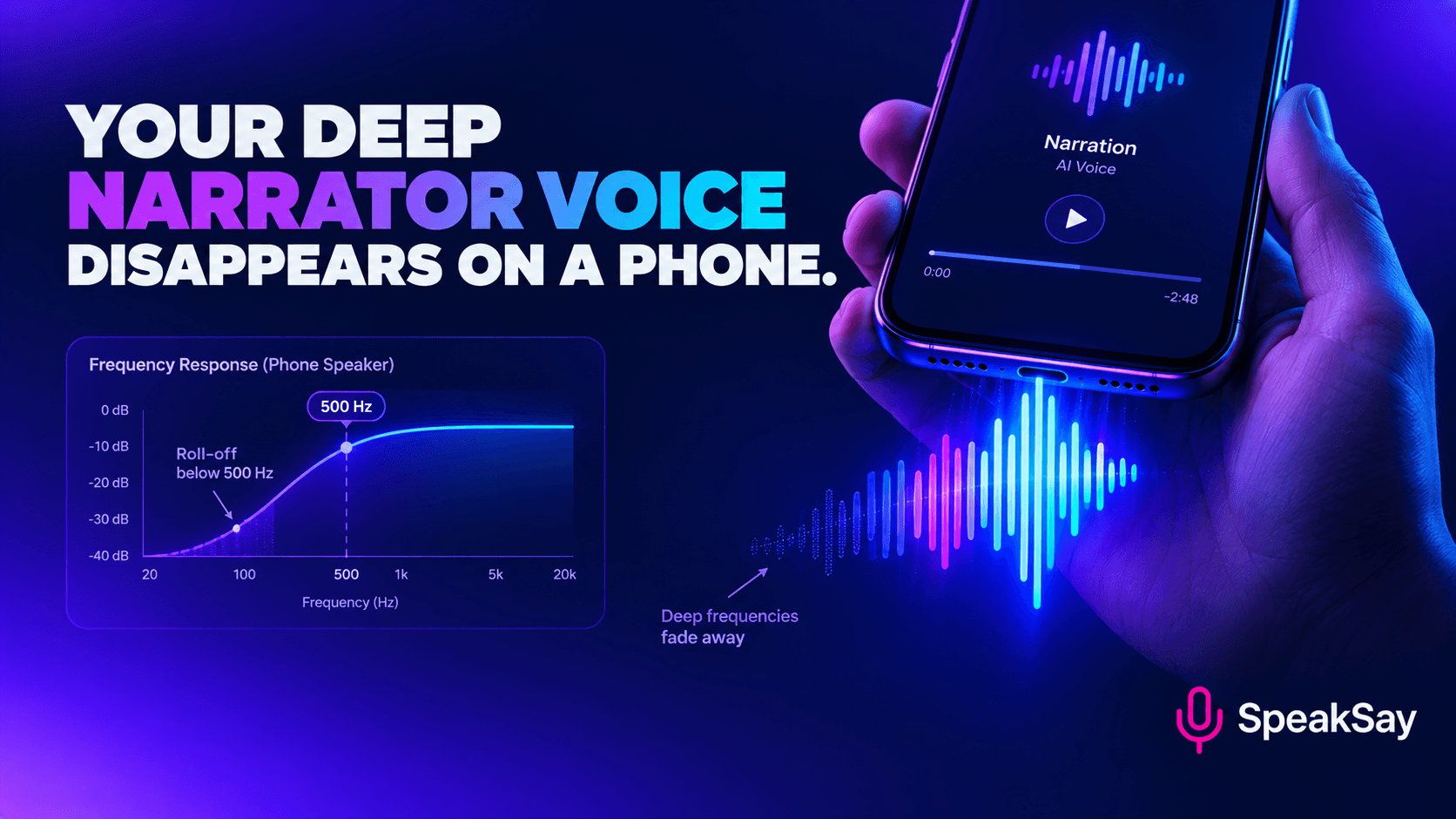
- Check on a phone speaker before publishing. The mismatch behaves differently on a small speaker, and that is where a large share of listening happens.
8. Three things not to do
- Do not clone the guest to fix their audio. Re-voicing a guest's answers in a clone of their own voice to get a cleaner track crosses from production into fabrication, no matter how accurate the words are. If the audio is unusable, re-record or drop the segment.
- Do not generate a "guest voice" to read a written interview. If someone answered by email, present it as what it is — read the answers yourself, or in the host voice, with clear attribution. A synthetic voice presented as a guest is the fastest way to lose the audience you are trying to build.
- Do not heavy-handedly denoise the guest. Aggressive noise reduction produces the watery, phasey artefact that listeners consciously hear as bad audio — worse than the noise it removed, and now sitting next to a pristine host track that makes it more obvious. Gentle reduction plus the tone bed beats heavy reduction every time.
9. Should I just tell listeners the host is synthetic?
Yes — and the positioning matters more than the fact. A show that says "this show is produced with a synthetic host voice" in the show notes and moves on gets almost no friction. A show that implies a human host and then cannot answer a direct question from a listener loses trust in one exchange.
10. FAQ
Can I run a live interview with a synthetic host instead?Technically yes; editorially it is much harder. Live generation means the follow-up question is produced before the answer is fully understood, which is exactly where AI-hosted interviews sound worst. It also means the guest is talking to a system, which measurably changes how much they give you. Record-then-render costs you an hour of editing and improves almost everything.
What if my guest's audio is genuinely unusable?Re-record it. A short second session on a better setup is nearly always possible and nearly always better than trying to rescue a bad file. If the guest cannot re-record, use the strongest two or three minutes as clips inside a host-narrated segment rather than presenting a full interview at poor quality.
How much host speech is too much?Above roughly 30% of total speech, interviews start to feel like the host is using the guest as a prompt. Under 25% is the comfortable range. Measure it once — most people are shocked by their first number.
Should the host voice sound like a person or be obviously synthetic?Either position works as long as you hold it consistently and disclose it. What does not work is a voice designed to pass as human on a show that never says otherwise, because the first direct listener question exposes it. Pick producer-forward, author-voiced or declared character, and stay there.
Do I need the guest's permission to edit their answers?Standard editorial practice is that you may cut for length and clarity but not change meaning, and that you tell the guest this is how the show is produced. Some guests will ask for review rights; decide your policy before you book rather than negotiating per episode. Rules on recording and publication vary by jurisdiction, so check what applies to you.


