Audible's Read & Listen Pairs Your Ebook With Your Audiobook. Here's How Indie Authors Keep the Two Editions Matching After Launch (2026)
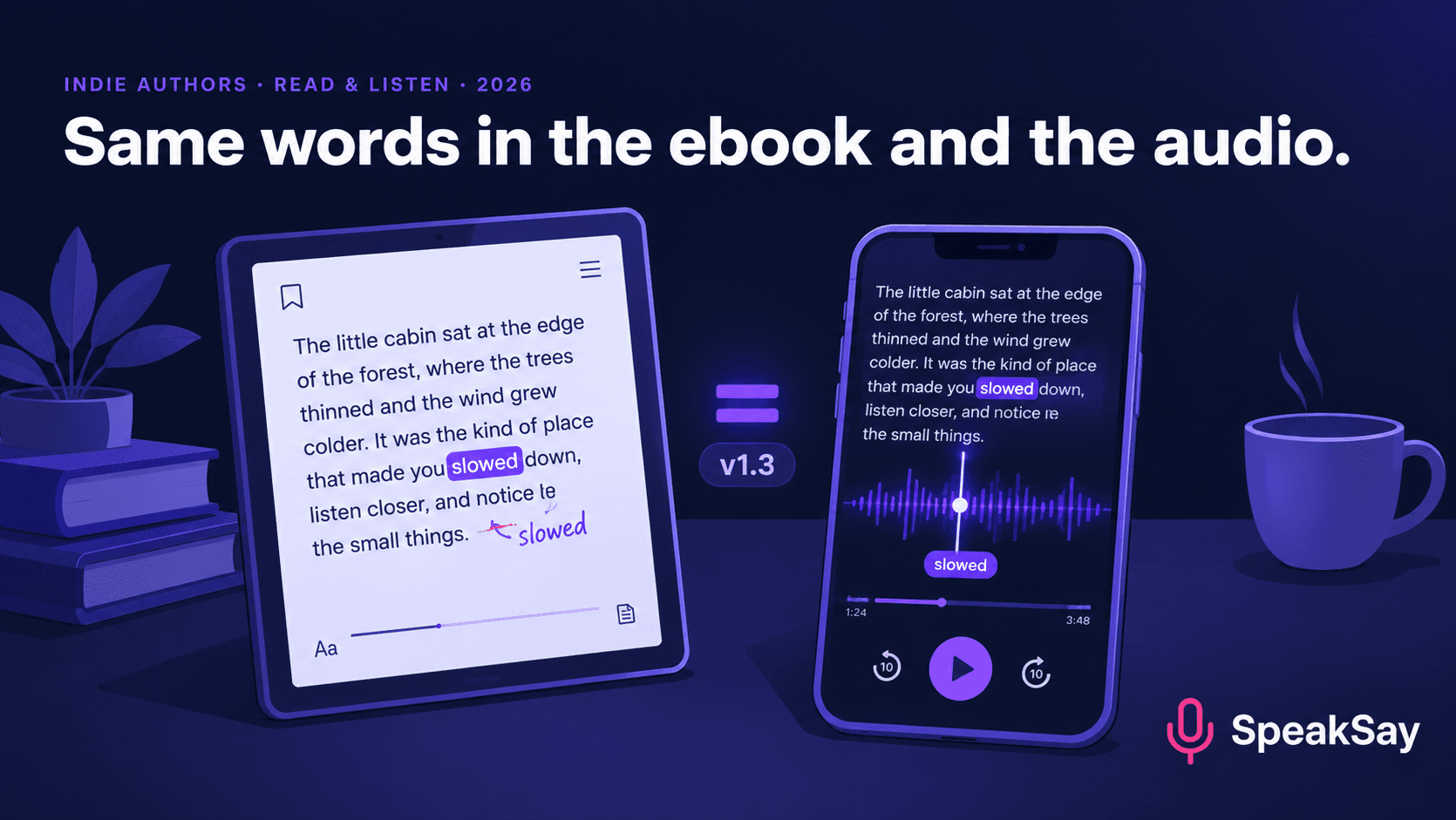
Audible's Read & Listen highlights ebook text while the audiobook plays, and listeners need to own both editions. That makes one old authorial habit expensive: fixing the ebook after launch and leaving the audio behind. Here is a version-control routine for authors who narrate with AI.
1. What Read & Listen is and what Audible says about it
Based on launch coverage in February and March 2026:
- Listeners can switch between "Listen" and "Read & Listen" in the Audible app. In the second mode the ebook text appears and words are highlighted as they are spoken.
- It requires owning both the audiobook and the matching ebook. The app uses a listener's Kindle library to find eligible titles.
- It launched in the US first, covering several hundred thousand titles in English, German, Spanish, Italian and French.
- Audible reported early data that readers-and-listeners consume roughly twice as much monthly content as audiobook-only customers, and that 91% of US users say it improves retention and comprehension. These are Audible's own figures from its own survey.
- Audible says publisher royalty payments are unchanged.
- Separate survey data presented at Parix Audio Day in Madrid found 80% of listeners also read print books, and that an average of 60% bought the print book after listening to the audio.
The reading-and-listening audience is large, and the product assumes the text and the audio are the same book.
2. Edition drift: how two versions of one book diverge
Drift starts the day after launch. A reader emails about a typo, so you fix the ebook in ten minutes. A year later you change a chapter title, update a statistic in a non-fiction book, or add a new bonus chapter to the series box set. Each change is small and reasonable. The audiobook, recorded months before, doesn't change, because changing it used to mean re-booking a narrator.
The result is a pair of editions that differ in small ways nobody has listed: a character's name spelled two ways, a paragraph that was cut from one edition and not the other, a number that is right in the text and out of date in the audio.
3. Why the pairing makes drift visible
Before Read & Listen, a listener didn't see the text. Now the words they hear sit next to the words they read, and Audible's own survey says 89% of those users say it helps them see how names and words are written and pronounced. A mismatch is more likely to be noticed by exactly the readers who care most about the book. We don't know how Audible's system handles differences between the two files, and Audible hasn't published a tolerance, so the prudent assumption is that the closer the two are, the better the experience.
4. A version-control routine for authors
- Keep one master manuscript. Every edition, whether ebook, paperback or audiobook script, comes from it. Never edit a file that's already been exported.
- Number the versions. v1.0 is the launch edition. Increase the number for every published change, and record which formats shipped which version.
- Keep a change log. One line per change: date, chapter, paragraph, what changed, and whether it affects the audio. "Ch. 7 para 4: corrected year from 1978 to 1979. Audio affected: yes."
- Decide up front which changes get re-narrated. Typos that change the spoken word, factual corrections, name changes and added or removed paragraphs: yes. Changes in punctuation or typography that don't alter the speech: no.
- Batch the audio updates. Re-record on a schedule, such as a quarterly maintenance pass, not each time you fix a comma.
5. Re-narrating only what changed
This is where AI narration earns its place. With a human narrator, a correction means scheduling a pickup session and re-editing the chapter. With text to speech, you can regenerate the corrected paragraph, or the chapter, in the same voice you used for the rest of the book, and swap it in.
- Open the change log and list the chapters flagged "audio affected".
- Paste the corrected chapter text into SpeakSay Text to Speech with the same voice and settings you used originally. Our guide to keeping an AI voice consistent explains why saving those settings matters.
- Listen to the changed section plus a few seconds either side, so the join sounds natural.
- Replace the chapter file and bump the audiobook version number.
- Upload the new version through the channel you used and record the date in the log.
Fix one chapter, not the whole book
Keep your narrator's voice steady across revisions. Browse SpeakSay's voices and pick one you can reuse for every update.
6. Names, spellings and pronunciation
Readers who follow the text while the narrator speaks will catch a character name that is pronounced inconsistently. Make a one-page "name sheet" for each book: the spelling in the text, how the narrator should say it, and the fix you applied. The pronunciation guide shows how. Apply the same sheet when you regenerate any chapter later.
If you've been thinking about which book to produce first, our post on the Audible listener survey covers that decision. If you want text highlighting in your own player or in other stores, see our guide to read-along ebooks with EPUB 3 media overlays.
7. What we can't tell you
- Which of your titles qualify for Read & Listen. Eligibility is decided by Audible and depends on how each edition is distributed and linked. Check Audible's and ACX's current terms for your account, including how they treat AI-narrated titles, before you plan around the feature.
- How closely the two texts need to match. Audible hasn't published a threshold.
- Whether the feature is available in your country yet. Launch coverage listed the US first with the UK, Germany and Australia to follow.
The routine in this post is worth following even if you never use Read & Listen, because a correct audiobook is better than a drifted one.
8. FAQ
What is Audible Read & Listen?A mode in the Audible app that shows ebook text and highlights words as the audiobook plays. Listeners must own both the audiobook and the matching ebook.
Do my ebook and audiobook have to be identical?Audible hasn't published a tolerance, so closer is safer. At minimum, keep names, numbers and chapter structure identical across editions.
Can I update an audiobook after publishing?Most distribution channels allow you to upload a replacement file. Check the process and any review period for the channel you use.
Is AI narration eligible for Read & Listen?We can't confirm this. Eligibility is up to Audible, and policies on AI narration differ by channel and change over time. Check current terms.
How often should I update the audiobook?Batch changes and update quarterly, or sooner for factual errors. Cosmetic edits that don't change the spoken words don't need re-narration.
What if my voice changes between the original and the revision?Use the same voice and saved settings. Changing narrators mid-book is noticeable, especially to listeners who follow the text.


